
Contents
Figure 1: "Free" has a total cost of ownership — the license line is just the part you can see
Anaconda licensing, conda-forge, and a TCO model that shows where the cost really lands
Python's biggest selling point is that nearly everything is free. Then an auditor, a security review, or a growing headcount arrives, and "free" starts to look complicated. Commercial Python offerings promise support, compliance, and fewer headaches, while open source promises zero license fees and total control. The honest answer to "which costs less?" is that it depends on a handful of numbers most teams never calculate. This guide shows how to compare them properly, uses the Anaconda licensing story as a concrete case, and includes a calculator you can adapt.
What "Enterprise Python" Actually Means
The phrase covers several different things, and mixing them up muddies every cost comparison:
- Commercial distributions and package repositories, like Anaconda's curated repository, which bundle vetted packages with compliance controls.
- Support and assurance wrappers around open source, where you pay for SLAs, security patching, indemnification, or maintainer time on libraries you could otherwise use for free.
- Managed platforms built on open-source engines, such as hosted versions of Spark, Ray, Dask, Airflow, or MLflow, where you pay for operations instead of software.
- Proprietary libraries and toolkits, including commercial solvers, document-processing SDKs, and vendor-specific data tools.
- Dual-licensed libraries, which are free under a copyleft license such as AGPL and paid if you need a commercial license to avoid its obligations.
Each has a different cost structure, so compare like with like.
The Sticker Price Is the Smallest Part
Total cost of ownership (TCO) for either path includes:
- License and subscription fees, the visible line item.
- Support and SLAs: what you pay for, or what you'll pay engineers to replace.
- Engineering time: integration, upgrades, dependency conflicts, internal support, and on-call burden.
- Security and compliance: vulnerability patching, software bills of materials, license scanning, and audit preparation.
- Talent: how hard it is to hire people who know the tool, and how long they take to become productive.
- Time to value: weeks saved or lost before something works.
- Infrastructure: compute, storage, and mirrors or registries.
- Risk: probability-weighted costs of outages, breaches, license violations, and abandoned dependencies.
- Exit costs: what leaving would take, which grows with lock-in.
Open source usually wins the first line and loses ground on engineering time and risk, and commercial software often does the reverse. Which effect dominates depends on your size and in-house skills — the same build-versus-buy arithmetic the ML cost optimization guide applies to cloud spend.
A Concrete Case: Anaconda vs conda-forge
The Anaconda story is a clean example because the money is explicit and the free alternative is nearly identical.
What's free. The conda package manager is open source and free, and so is conda-forge, a community channel that hosts over 25,000 packages, updated within hours of upstream releases, and free for all use, including commercial.
What's paid. Anaconda's own package repository has commercial terms. Per Anaconda's legal FAQ, downloading packages from the Repository after April 30, 2020 requires a commercial license for organizations over 200 employees or contractors, counting affiliates. Third-party summaries put the Business tier's list price around $50 per user per month, roughly $600 per user per year, with custom pricing for larger seat counts. Anaconda's current pricing page also shows lower-priced tiers and notes that users in organizations with 200 or more employees or contractors need a paid Business license. Confirm current prices and terms directly before budgeting.
The compliance trap. Free-looking installers can create paid obligations by accident. Anaconda's own FAQ says Miniconda doesn't require a commercial license for large organizations until it is used to gain access to package updates from the company's repository. In practice, installing Miniconda is free, but running conda install against the default channel triggers the commercial terms. Confusing "conda" (free) with "Anaconda" (the company's distribution and repository) leads organizations either to pay for licenses they don't need or to violate terms they didn't know about.
The zero-license route. Miniforge ships conda, mamba, and Python with conda-forge as the default channel, with no commercial license involved. To switch an existing setup:
conda config --add channels conda-forge
conda config --set channel_priority strict
conda config --remove channels defaults
Strict channel priority keeps conda from falling back to Anaconda's repository during dependency resolution. Pixi also defaults to conda-forge.
What you'd still pay for with the free route. Community channels have no vendor SLA, curated vulnerability scanning, or air-gapped mirroring service, so large organizations typically build an internal mirror and handle security scanning themselves. That's real engineering cost, which is exactly the tradeoff the paid license sells you out of.
Other Common Comparisons
Brief patterns, without invented prices, since vendor pricing varies by contract:
- Distributed compute (Spark, Ray, Dask). The open-source engines are free; managed platforms charge a premium for operations, autoscaling, and support. You're really comparing the premium against the cost of the platform engineers you'd otherwise need.
- Workflow orchestration (Airflow, Prefect, Dagster). Self-hosting is cheap in licenses and expensive in operations. Managed offerings flip that.
- Experiment tracking (MLflow and managed alternatives). MLflow is open source and widely adopted, and managed or commercial trackers add collaboration, governance, and hosting.
- Optimization solvers. Open-source solvers handle many problems well, while commercial solvers can matter at large scale or with hard problem classes. Test on your own models, since performance gaps are problem-dependent.
- PDF and document libraries. Some popular libraries are dual-licensed, with a copyleft license such as AGPL for free use and a paid commercial license for proprietary products. Others use permissive licenses. Read the license before embedding anything in a product you ship.
When "Free" Stops Being Free
Open source isn't a fixed price. Several shifts in this ecosystem show how "free" can change:
- License changes. Projects sometimes move to source-available or restricted terms. Alibi, a Python library covered in the explainability tools guide, moved newer releases to a Business Source License that restricts free production use, and the infrastructure world has seen similar shifts with Terraform's licensing and the response by OpenTofu, covered in the infrastructure-as-code guide.
- Free libraries pivoting to paid products. ydata-synthetic was deprecated in favor of the commercial ydata-sdk, as the ydata-synthetic tutorial explained.
- Absorption and discontinuation. Gretel's self-serve platform was folded into NVIDIA's enterprise offering, and the Coral accelerator's software stack stopped getting meaningful updates.
- Abandonment. Maintainers move on, and a dependency you rely on can quietly go unmaintained.
None of this makes open source a bad bet. It means the cost of open source includes monitoring the health of what you depend on and having a plan for when something changes.
A Simple TCO Calculator
You can put rough numbers on the comparison. This script computes multi-year cost for two options. The inputs below are illustrative assumptions, not benchmarks, so replace them with your own:
from dataclasses import dataclass

@dataclass
class Option:
    name: str
    license_per_user_year: float = 0.0
    support_per_year: float = 0.0
    eng_hours_per_year: float = 0.0            # upgrades, patching, internal support
    one_time_cost: float = 0.0                 # migration, setup, training
    expected_incident_cost_per_year: float = 0.0   # probability-weighted outages, vulns, audits

def tco(option, users, years=3, eng_rate=95.0, discount=0.0):
    yearly = (option.license_per_user_year * users
              + option.support_per_year
              + option.eng_hours_per_year * eng_rate
              + option.expected_incident_cost_per_year)
    recurring = sum(yearly / ((1 + discount) ** y) for y in range(1, years + 1))
    return round(option.one_time_cost + recurring)

paid = Option("Commercial distribution",
              license_per_user_year=600, eng_hours_per_year=80,
              expected_incident_cost_per_year=3_000)
oss = Option("conda-forge + internal mirror",
             eng_hours_per_year=300, one_time_cost=15_000,
             expected_incident_cost_per_year=8_000)

for users in (25, 100, 400):
    print(f"{users:>4} users  paid: {tco(paid, users):>9,}   open source: {tco(oss, users):>9,}")
With these assumptions, three-year costs come out to:
| Users | Commercial | Open source | Cheaper |
|---|---|---|---|
| 25 | $76,800 | $124,500 | Commercial |
| 100 | $211,800 | $124,500 | Open source |
| 400 | $751,800 | $124,500 | Open source |
The break-even lands around 50 users.
Treat that as a demonstration of the method, not a conclusion. The licensing line scales with headcount, while the open-source costs are mostly fixed platform work, which is why open source tends to win as organizations grow and commercial offerings win for small teams without platform engineers. The two softest inputs, engineering hours and incident cost, are guesses, so run the model with pessimistic and optimistic values. If the answer flips within a plausible range, the decision hinges on risk tolerance, not arithmetic. Also remember that for the Anaconda case specifically, organizations under 200 employees pay nothing, which changes the license line to zero.
Managing Open-Source Risk Without a Vendor
If you choose open source, spend a fraction of the savings on controls that capture the benefits of the commercial option:
- Run a private package mirror or proxy such as Artifactory, Nexus, or devpi, for availability, caching, and a single choke point for scanning.
- Pin and lock dependencies, with hashes, using tools like uv or pixi, so builds are reproducible and tampering is detectable.
- Scan continuously for vulnerabilities with tools like pip-audit or OSV-based scanners, and generate SBOMs.
- Scan licenses with tools like pip-licenses or commercial scanners, and set a policy for copyleft and source-available terms.
- Watch project health: release cadence, maintainer activity, and governance, and keep a list of critical dependencies with a fallback plan for each.
- Budget for upstream support: sponsor or contribute to the libraries you rely on, or buy support for the critical few.
- Keep fork capacity for libraries where abandonment would hurt, even if you never use it.
- Defend against supply-chain attacks: typosquatted names, hijacked packages, and malicious updates, with allowlists and review for new dependencies.
When Paying Is the Smarter Move
Commercial options earn their price when:
- You need contractual assurances: SLAs, indemnification, or vendor accountability that auditors in regulated industries expect.
- You lack platform engineers, and hiring one costs more than the license.
- Time to value matters more than unit cost, such as a short project where setup time dominates.
- The product is genuinely better, as with some commercial solvers and specialized toolkits on hard problems.
- Operations are the real burden, and a managed service removes on-call pain.
- Compliance tooling is the point, such as curated, scanned package repositories with audit trails.
Open source wins when the libraries are mainstream and well-maintained (NumPy, pandas, scikit-learn), when you value portability and exit options, when you have or can build platform skills, and when hiring depends on widely known tools.
A Decision Checklist
- List the libraries and platforms in play, and classify each of the five categories above.
- Check licenses: who needs a paid license, under what thresholds, and which installers or channels trigger terms.
- Estimate engineering hours, incident risk, and migration cost, with ranges.
- Run the TCO comparison at your current size and at your three-year headcount.
- Test sensitivity: what would have to be true for the answer to flip?
- Evaluate exit costs and lock-in.
- Decide on controls (mirror, scanning, pinning) and who owns them.
- Revisit annually, since pricing, licenses, and project health change.
Common Pitfalls
- Comparing a license fee against zero, instead of against the engineering cost of replacing what the license provides.
- Accidentally triggering commercial terms through default channels or installers, especially in organizations near or above a headcount threshold.
- Ignoring license changes and project health until a dependency becomes a problem.
- Assuming open source means no cost, when someone is always paying in engineering time.
- Assuming paid means no risk, when vendors raise prices, change terms, and get acquired.
- Skipping sensitivity analysis on soft estimates.
- Embedding copyleft or dual-licensed libraries in shipped products without legal review.
Recommended Books
| Cover | Book | Description | Get it |
|---|---|---|---|
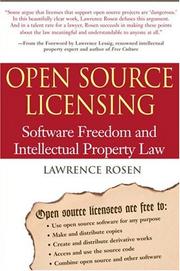 |
Open Source Licensing | - GPL, AGPL, and dual-licensing explained by a lawyer who wrote licenses for a living. | View on Amazon |
 |
The Pragmatic Programmer | - build-versus-buy judgment and the true cost of owning your own tools. | View on Amazon |
 |
Software Architecture: The Hard Parts | - tradeoff analysis for the decisions TCO models try to quantify. | View on Amazon |
Unlock AI That Actually Works
Get lifetime access to GPT-6 Astra, Claude Fable 5.1, Gemini 3.5, Grok 4.5, and more — all in one platform. Build websites, apps, videos, content, and digital products from a single command. No monthly fees. No tool-hopping.
Click here to get GPTAstra Max now — one-time payment, lifetime access.
Frequently Asked Questions
Do I need a paid Anaconda license?
Only if your organization downloads packages from Anaconda's Repository and has 200 or more employees or contractors, counting affiliates, per Anaconda's legal FAQ. Organizations under that threshold pay nothing. The trap is the trigger: installing Miniconda is free, but running conda install against the default channel once it's configured to Anaconda's repository is what invokes the commercial terms. Miniforge or conda-forge with strict channel priority avoids the question entirely.
Is open source Python really free?
The license is free; the total cost is not zero. Somebody spends engineering hours on setup, upgrades, dependency conflicts, vulnerability scanning, license policy, and internal support, and someone owns the risk when a project changes license, gets absorbed, or goes unmaintained. Open source usually wins the license line and spends it back in engineering time and risk management — which is exactly what a TCO comparison is for.
How do I calculate the true cost of a Python tool?
Build a small multi-year model with the lines teams usually skip: license and subscription fees, support, engineering hours for integration and upgrades, security and compliance work, one-time migration and training, and probability-weighted incident cost. Run it at your current size and at your projected three-year headcount, and test pessimistic and optimistic values for the soft inputs. If the answer flips within a plausible range, the decision is about risk tolerance, not arithmetic.
When is paying for a commercial Python option the smarter move?
When you need contractual assurances auditors expect, such as SLAs, indemnification, and vendor accountability; when you lack platform engineers and hiring one costs more than the license; when time to value dominates unit cost on a short project; when the commercial product is genuinely better on your specific problem, as with some optimization solvers; or when operations are the real burden and a managed service removes on-call pain.
Wrapping This Up
Enterprise Python libraries and open-source alternatives differ less in price than in where the cost lands: licenses and support contracts on one side, engineering time, security work, and risk management on the other. The Anaconda example makes it concrete, since conda and conda-forge are free while the vendor's repository carries per-user fees for larger organizations, and a default setting can quietly create an obligation. A simple multi-year TCO model, run with honest ranges, usually shows that small teams favor paid convenience and larger ones favor open source with good controls.
Run the numbers with your own inputs, check the licenses you're actually under, and pick the option whose risks you can manage. Whichever you choose, put controls around it, and look again next year, because in this ecosystem the price, the terms, and the maintainers all change.


