 Buy me a coffee
Contents
Figure 1: The straight line under every fancier model — built twice, so nothing is magic
Normal equation vs gradient descent vs scikit-learn, with scaling gotchas and Ridge CV
Linear regression is the "hello world" of machine learning. It's also the model you'll still be using in production five years from now, quietly beating the fancy neural network someone suggested.
So let's build it twice. First from scratch with NumPy, so you see what's inside the box. Then with scikit-learn, so you can stop writing the box yourself. Every number below comes from a script run with NumPy 2.5.3 and scikit-learn 1.9.1.
What Linear Regression Actually Does
You have inputs (features) and a number you want to predict (the target). Linear regression finds the straight line, or plane, that sits closest to your data.
For one feature, the model is:
prediction = intercept + slope × x
"Closest" has a precise meaning. The model picks the intercept and slope that minimize the mean squared error — the average squared gap between prediction and reality. That method is called ordinary least squares (OLS).
Two ways to find those numbers:
- The normal equation: one-shot linear algebra, no loops.
- Gradient descent: start with a guess and nudge it downhill, many times.
We'll write both. If the math feels rusty, the machine learning algorithms guide in this series covers the same ground in prose first.
Part 1: Linear Regression From Scratch
The helper functions are tiny. First, a bias column of ones, so the intercept becomes just another coefficient:
import numpy as np

def add_bias(X):
    return np.column_stack([np.ones(len(X)), X])
The normal equation. Textbooks write (XᵀX)⁻¹Xᵀy. In practice, don't invert matrices by hand — NumPy's lstsq solves the same problem more stably:
def fit_normal_equation(X, y):
    beta, *_ = np.linalg.lstsq(add_bias(X), y, rcond=None)
    return beta        # beta[0] is the intercept
Gradient descent. Here the model learns by repetition. Each step computes the slope of the error surface and moves the coefficients the opposite way:
def fit_gradient_descent(X, y, lr=0.1, steps=2000):
    Xb = add_bias(X)
    beta = np.zeros(Xb.shape[1])
    for _ in range(steps):
        grad = 2 / len(y) * Xb.T @ (Xb @ beta - y)
        beta -= lr * grad
    return beta
The learning rate (lr) sets the step size. Too big and the model overshoots. Too small and it crawls — we'll see exactly how badly in a moment.
Testing against a known answer. 200 points were generated from a line with intercept 3 and slope 2, plus noise, then fit with all three methods:
| Method | Intercept | Slope |
|---|---|---|
| Normal equation | 2.5363 | 2.0989 |
| scikit-learn | 2.5363 | 2.0989 |
| Gradient descent | 2.5363 | 2.0989 |
All three agree to four decimals. But notice they all miss the true values of 3 and 2. That isn't a bug. With 200 noisy points, the best-fitting line never lands exactly on the truth. Estimates carry sampling error, and that's worth remembering whenever someone quotes a coefficient to six decimals.
Part 2: The Same Thing in Scikit-learn
Now the short version:
from sklearn.linear_model import LinearRegression

model = LinearRegression().fit(X_train, y_train)
predictions = model.predict(X_test)
Two lines. That's the whole point of scikit-learn. Let's use it on real data — the diabetes dataset that ships with the library (442 patients, 10 features, target is a disease-progression score):
from sklearn.datasets import load_diabetes
from sklearn.model_selection import train_test_split

X, y = load_diabetes(return_X_y=True)
Xtr, Xte, ytr, yte = train_test_split(X, y, test_size=0.25, random_state=0)
The scratch version and scikit-learn were fit on the same 331 training rows, then scored on 111 held-out rows:
| Model | Test RMSE | Test R² |
|---|---|---|
| From scratch | 56.393 | 0.3594 |
| scikit-learn | 56.393 | 0.3594 |
The largest coefficient difference between the two was about 1e-12 — floating-point dust. Your scratch code and the library do the same math.
Reading the Numbers
Two metrics matter here:
- RMSE is the typical prediction error, in the target's own units.
- R² is the share of variance the model explains. 1 is perfect, 0 is no better than guessing the average.
An R² of 0.36 sounds underwhelming, and honestly, it is modest. But compare it against the baseline that always predicts the training mean — that baseline scores an RMSE of 70.464, and the model cuts it to 56.393. Always compare against a dumb baseline, or you can't tell if a number is good.
The Gotcha: Feature Scaling and Gradient Descent
Here's where scratch code teaches you something scikit-learn hides. Take a house-price dataset where size runs from 500 to 3,500 square feet and rooms run from 1 to 6. The normal equation recovers the true relationship:
intercept 48,012 · size 121.0 · rooms 7,839.3
Now run gradient descent on the raw features, with a learning rate of 1e-7 — already tiny, because anything larger blows up with features this lopsided. After 2,000 steps:
intercept 4.7 · size 151.3 · rooms 26.1
That's nowhere near the answer. The large-scale feature dominates the gradient, so the model can't take reasonable steps for every coefficient at once. Now standardize the features (subtract the mean, divide by the standard deviation) and run the same loop with lr=0.1:
mu, sd = Xh.mean(0), Xh.std(0)
beta_s = fit_gradient_descent((Xh - mu) / sd, price, lr=0.1, steps=2000)
slope = beta_s[1:] / sd                         # undo the scaling
intercept = beta_s[0] - np.sum(slope * mu)
Result: intercept 48,012.2 · size 121.0 · rooms 7,839.3 — same as the exact answer.
Lesson: scale your features before gradient descent. The normal equation doesn't care, which is one reason scikit-learn's LinearRegression uses a direct solver rather than looping.
Regularization: When OLS Overfits
Plain OLS can latch onto noise, especially with many correlated features. Ridge regression adds a penalty on large coefficients. In scikit-learn, put the scaler and the model in a pipeline so scaling happens inside each fit:
from sklearn.linear_model import RidgeCV
from sklearn.pipeline import make_pipeline
from sklearn.preprocessing import StandardScaler
import numpy as np

model = make_pipeline(
    StandardScaler(),
    RidgeCV(alphas=np.logspace(-3, 3, 25)),
).fit(Xtr, ytr)
print(model[-1].alpha_, model.score(Xte, yte))
RidgeCV picked an alpha of 17.783 by cross-validation. Here's how the test R² compared:
| Model | Test R² |
|---|---|
| Plain OLS | 0.3594 |
| Ridge (alpha = 1) | 0.3580 |
| RidgeCV (alpha ≈ 17.8) | 0.3609 |
The gain is tiny — and that's the honest story. With 10 features and 331 rows, OLS has little to overfit, so regularization barely helps. It matters far more when you have many features or little data.
Checking Your Model
Don't stop at R². Look at the residuals — the leftover errors. On the diabetes test set the mean residual was -3.7 and the standard deviation about 56.3. Plot residuals against predictions: a shapeless cloud is good. A curve or a funnel means the straight line is missing something.
Also remember what linear regression assumes:
- The relationship is roughly linear.
- Errors are roughly evenly spread across predictions.
- Features aren't wildly redundant with each other.
- Outliers can drag the line, so look for them.
When those fail, you don't abandon the model right away. You transform features, add interaction terms, or move to something more flexible.
Which Version Should You Use?
- Learning: write it from scratch once. You'll never forget what a gradient is.
- Real work: use scikit-learn. It's tested, fast and handles edge cases.
- Need p-values and confidence intervals: consider a statistics library built for inference, since scikit-learn focuses on prediction — the textbook guide covers the theory side, and a beginner course drills the practice.
Common Pitfalls
- Running gradient descent on unscaled features, then concluding gradient descent "doesn't work".
- Using gradient descent in production when a direct solver exists for your problem size — it's slower and more fragile for nothing.
- Judging a model by R² alone, without a baseline comparison.
- Skipping residual plots — R² can't show you the curve the line is missing.
- Fitting the scaler on all the data before splitting; scale inside the training fold, ideally in a pipeline.
- Over-regularizing small feature sets: Ridge on 10 features with hundreds of rows buys almost nothing.
- Quoting coefficients to six decimals as if sampling error didn't exist.
Best Book to Read
| Cover | Book | Description | Get it |
|---|---|---|---|
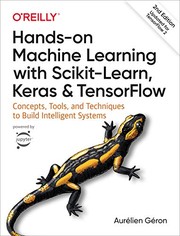 |
Hands-On Machine Learning with Scikit-Learn, Keras, and TensorFlow | - the code-first companion where this exact from-scratch-then-sklearn path is taught properly. | View on Amazon |
 |
An Introduction to Statistical Learning | - linear regression done right, with the inference side (p-values, confidence intervals) scikit-learn skips. | View on Amazon |
 |
The Hundred-Page Machine Learning Book | - the compact reference for the math behind OLS and Ridge. | View on Amazon |
As an Amazon Associate I earn from qualifying purchases. Links on this page are affiliate links, and I may earn a commission at no extra cost to you.
Unlock AI That Actually Works
Get lifetime access to GPT-6 Astra, Claude Fable 5.1, Gemini 3.5, Grok 4.5, and more — all in one platform. Build websites, apps, videos, content, and digital products from a single command. No monthly fees. No tool-hopping.
Click here to get GPTAstra Max now — one-time payment, lifetime access.
Frequently Asked Questions
What's the difference between the normal equation and gradient descent?
The normal equation solves for the best coefficients in one shot with linear algebra — no loops, no learning rate, and it doesn't care whether features are scaled. Gradient descent starts from a guess and repeatedly nudges coefficients downhill on the error surface; it needs scaled features and a sensible learning rate, but it scales to problems too large for the normal equation. On small problems like the ones in this article, both reach the same answer to four decimals — scikit-learn's LinearRegression uses a direct solver for exactly this reason.
Why does feature scaling matter so much for gradient descent?
With lopsided features (size in the thousands, rooms in single digits), the error surface is a stretched valley, and one learning rate can't suit every coefficient: too big overshoots on the large-scale feature, too small crawls. In the house-price example in this article, unscaled gradient descent with a tiny learning rate returned wildly wrong coefficients after 2,000 steps, while standardizing features (subtract mean, divide by standard deviation) let lr=0.1 recover the exact answer. The normal equation is immune, which is part of why scikit-learn prefers direct solvers.
When should you use Ridge regression instead of plain linear regression?
When OLS has room to overfit — many features, correlated features, or little data. Ridge adds a penalty on large coefficients, and RidgeCV picks the penalty strength by cross-validation. But on the diabetes dataset in this article (10 features, 331 training rows), RidgeCV improved test R² only from 0.3594 to 0.3609: with few features and enough rows, OLS has little to overfit and regularization barely helps. Try it when your feature count approaches or exceeds your row count, or when coefficients look unstable.
What do RMSE and R² actually tell me?
RMSE is the typical prediction error in the target's own units — on the diabetes dataset, about 56 points of disease-progression score. R² is the share of variance the model explains, where 1 is perfect and 0 means no better than predicting the average. An R² of 0.36 sounds weak in isolation, but the baseline that always predicts the training mean scores an RMSE of 70.5, so the model cuts typical error by about 20%. Always compare against that dumb baseline — without it, you can't tell whether a number is good.
Wrapping This Up
Linear regression is simple, fast, and explainable, and building it yourself shows there's no magic. The normal equation and gradient descent reach the same answer, scikit-learn matches both to floating-point dust, and scaling decides whether gradient descent works at all. That's the whole field in one model: honest math, a solver choice, and one gotcha that separates working code from mysterious failures.
Grab the script, run it, and then break it. Change the learning rate, drop the scaling, and add noise. Ten minutes of breaking things beats an hour of reading.



 Join on Telegram