 Buy me a coffee
Contents
Figure 1: A checklist beats a mood — the same eight questions, in the same order, every dataset
Planted problems, a pandas 3.0 trap, and the false-alarm test on clean data
Most EDA is a mood. You run df.head(), glance at a histogram, feel vaguely informed, and start modeling. Then a model misbehaves, and you discover the missing values or the duplicate rows you could have caught in the first ten minutes — usually the same ones the preprocessing checklist would have flagged before training.
A checklist fixes that. One function, tested the way you'd test any code: 13 known problems planted in a messy table, then counted how many it caught. The first run caught 11, and both misses taught something.
The Checklist
Work through these in order, because early problems distort later ones:
- Shape and duplicates — how many rows, and how many repeat?
- Missing values — which columns, and how much? (the mechanical first pass before imputation)
- Constant and ID-like columns — useless as features, or dangerous.
- Types — numbers stored as text, dates stored as strings.
- Categories — inconsistent spelling, rare levels, huge cardinality.
- Dates — impossible ranges.
- Numeric columns — skew, sentinel codes, outliers (the IQR and z-score territory).
- Relationships — near-duplicate columns.
- The target — class balance, missing labels, and columns that look too good.
Notice what's missing: plots. Plots matter, but they come after the cheap, mechanical checks. A table of findings tells you where to look.
The Test: 13 Planted Problems
A customer-churn table with 2,060 rows, deliberately broken:
| Planted problem | What it simulates |
|---|---|
| 60 duplicated rows | Repeated records double-counted |
| 3% missing ages | Incomplete data |
| Value −1 standing in for "unknown" age | Sentinel code hiding in a range |
| Heavily skewed income | Non-normal feature |
income_copy = income × 1.0001 |
Near-duplicate column |
| Country labels in mixed case with stray spaces | Dirty categories |
| Weight column with "N/A" mixed into numbers | Numbers stored as text |
| 10 signup dates in 2099 | Impossible future dates |
| 6 placeholder dates in 1900 | Placeholder dates |
| A constant column | Zero-variance feature |
| A customer ID | ID-like column |
exit_survey_completed exists only after churn |
Post-outcome leakage |
| A rare target (churn) | Class imbalance |
The function returns a list of findings — check, column, detail — and for each planted problem the question was simply: did it appear?
What It Caught on the First Run: 11 of 13
Two problems slipped through. Both are instructive.
| Miss | Root cause | Fix |
|---|---|---|
| Messy country spelling | The check looked for dtype == object, but pandas 3.0.5 gives pure-text columns a dedicated str dtype |
Test is_object_dtype or is_string_dtype |
| Rare target not flagged | The plant had churn = 15%, the function flags minority classes below 10% | Fix the test data (now 5%), not the threshold |
Miss 1 is a real trap if you copy older EDA snippets: dtype == object quietly stops matching strings on pandas 3. The weight column still matched the old check — mixed numbers and "N/A" strings stay object — which is exactly what hid the bug in plain sight. The corrected helpers:
from pandas.api.types import is_object_dtype, is_string_dtype

def is_text(series):
    # pandas 3: pure text is `str`, mixed content stays `object`
    return is_object_dtype(series) or is_string_dtype(series)
Miss 2 was a mistake in the test, not in the function: the plant didn't meet the function's own definition of "rare." Always check that your test case actually triggers the thing you're testing:
assert any(f["check"] == "missing" and f["column"] == "age" for f in findings)
assert any(f["check"] == "imbalance" for f in findings)  # failed until churn < 10%
After both fixes: 13 of 13 caught.
How Each Check Works
A few of the checks lean on pandas details worth knowing:
- Duplicates:
df.duplicated()marks repeats after the first occurrence by default (keep='first'), per the docs. Passsubset=to check specific columns, like a customer ID. - Numbers stored as text:
pd.to_numeric(s, errors='coerce')turns unparseable values into NaN, so you can measure what share parses. In the test,"N/A"values were the unparseable ones. - Summaries:
df.describe()reports only numeric columns on a mixed table. For text columns it gives count, unique, top, and freq — useinclude='all'for both. - Sentinels: a value like −1, 999, or 9999 sitting outside the range of everything else. The function flags codes covering at least 0.3% of rows that fall outside the 0.1st–99.9th percentile of the remaining values.
- Leakage: for a binary target, score each numeric column's AUC against the target alone. A column near 1.0 deserves suspicion — and that flag needs a human.
The function in full (abridged where it's mechanical):
import pandas as pd
from pandas.api.types import is_numeric_dtype, is_object_dtype, is_string_dtype

def quick_eda(df, target=None):
    findings = []

    def add(check, col, detail):
        findings.append({"check": check, "column": col, "detail": detail})

    # 1. duplicates / shape
    n_dup = int(df.duplicated().sum())
    if n_dup:
        add("duplicates", None, f"{n_dup} duplicated rows (keep='first')")

    # 2. missing (>=1% of rows)
    for col, share in df.isna().mean().items():
        if share >= 0.01:
            add("missing", col, f"{share:.1%} missing")

    # 3. constant / ID-like
    for col in df.columns:
        n = df[col].nunique(dropna=True)
        if n <= 1:
            add("constant", col, "one unique value")
        elif n == len(df) and not is_numeric_dtype(df[col]):
            add("id-like", col, "unique on every row")

    # 4. numbers stored as text — pandas-3-safe text test
    for col in df.columns:
        if not (is_object_dtype(df[col]) or is_string_dtype(df[col])):
            continue
        unparsed = pd.to_numeric(df[col], errors="coerce").isna().mean()
        if 0 < unparsed < 1:
            add("mixed-type", col, f"{unparsed:.1%} values won't parse as numbers")

    # 7. sentinel codes outside the bulk of the data
    for col in df.select_dtypes("number"):
        s = df[col].dropna()
        if s.nunique() < 10:
            continue
        lo, hi = s.quantile([0.001, 0.999])
        for cand in (-1, 999, 9999):
            hit = float((s == cand).mean())
            if hit >= 0.003 and not (lo <= cand <= hi):
                add("sentinel", col, f"value {cand} covers {hit:.1%} of rows")

    # 9. single-column AUC against a binary target
    if target is not None and df[target].nunique() == 2:
        from sklearn.metrics import roc_auc_score
        y = df[target]
        for col in df.select_dtypes("number"):
            ok = df[col].notna() & y.notna()
            if ok.sum() < 50:
                continue
            auc = roc_auc_score(y[ok], df.loc[ok, col])
            if max(auc, 1 - auc) >= 0.9:
                add("leak-suspect", col, f"single-column AUC {auc:.3f}")

    return findings
What Else It Flagged
Beyond the planted problems, the function raised three findings:
| Finding | Real? |
|---|---|
| income: 6.2% IQR outliers | Yes — a consequence of the skew I planted. |
| income_copy: skewed, 6.2% outliers | Yes — same column in disguise. |
| exit_survey_completed: skewness 3.51 | Technically true, but meaningless — it's a 0/1 flag, and skew isn't a useful idea there. |
That last one is a false alarm. I could add a rule to skip binary columns, but I left it in, because every checklist throws a few noisy flags and you should expect to triage them.
The False-Alarm Test on Real Data
A tool that finds problems should also stay quiet on clean data. So the function ran on the breast cancer dataset — a well-known, tidy benchmark:
| Finding type | Count |
|---|---|
| Skewed distribution | 22 |
| Many IQR outliers | 5 |
| Near-duplicate columns | 15 |
| Possible target leakage | 11 |
The first three are real properties of the data: radius, perimeter, and area are legitimately correlated at 0.99 or more, and many measurements are skewed.
The leakage flags are the cautionary tale. Eleven columns scored a single-column AUC between 0.92 and 0.975, with worst perimeter highest at 0.975. None of these are leaks — they're simply strong, legitimate predictors of tumor type. The check can't tell the difference between "too good to be true" and "good." IMO, that's the right way to treat it: a flag means go ask where this column comes from, not delete it.
The planted exit_survey_completed scored high too, but in a real project you'd tell the two apart by asking whether you'd know the value at prediction time. Code can't answer that. I learned this the expensive way on a lead-scoring model: a column called demo_scheduled pushed single-column AUC to 0.97, and the model looked brilliant until we asked when demos get booked — after sales had already qualified the lead. The column wasn't predicting intent; it was recording a decision someone had already made. Dropping it took the headline metric down to a humbling 0.71 and the first honest version of the model into production.
What the Checklist Doesn't Cover
Tested on two datasets, so the limits are real:
- No plots. Distributions, scatter plots, and time plots find things no table does.
- No multivariate checks. Problems that only appear in combinations of columns won't show up.
- No drift checks between training and new data.
- Fixed thresholds (95% correlation, 0.9 AUC, 10% imbalance, 1% rare levels) — they're defaults, not truths. Tune them to your domain.
- Date parsing is narrow. It only inspects columns whose names include "date" or "time", or that are already datetimes, and assumes ISO format for strings.
How to Use It
- Run the report on every new dataset before you model.
- Triage the findings: fix, investigate, or accept.
- Write down your decisions — a one-line note per finding becomes your data-cleaning documentation.
- Re-run after cleaning to confirm the problems are gone.
- Then make plots, guided by what the report found.
Common Pitfalls
- Opening a plotting notebook first — run the mechanical checks before you start feeling informed.
- Copying
dtype == objectchecks from older tutorials — pandas 3 string columns are invisible to them. - Deleting every leakage flag — 11 of 11 were false alarms on clean breast cancer data; provenance is a human question.
- Treating thresholds as truths — 10% imbalance and 0.9 AUC are defaults; adjust per domain.
- Writing a checker you never test against known bugs — if the planted defect doesn't trigger the rule, you've tested nothing.
- Stopping at one run — re-run the report after cleaning; a checklist's second pass is the proof.
- Using
df.describe()defaults on mixed tables — numeric-only summaries hide text problems; useinclude='all'. - Skipping
subset=on duplicate checks — row-level dedup misses repeats keyed by a customer ID. - Letting findings pile up untriaged — fix, investigate, or accept; write the decision down once.
Best Book to Read
| Cover | Book | Description | Get it |
|---|---|---|---|
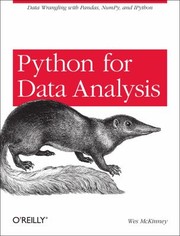 |
Python for Data Analysis | the pandas reference behind every check here: dtypes, missing data, .describe(include='all') , and the cleaning verbs that turn findings into fixes. | View on Amazon |
 |
Python Data Science Handbook | exploration as a discipline, with the Pandas/NumPy idioms that make an EDA checklist cheap enough to run every time. | View on Amazon |
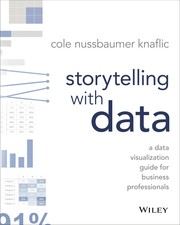 |
Storytelling with Data | what to do after the table of findings: the plots worth making, and the ones that hide the message. | View on Amazon |
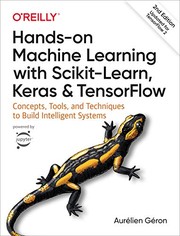 |
Hands-On Machine Learning with Scikit-Learn, Keras, and TensorFlow | where EDA flags pay off: leakage, sentinels, and feature hygiene before the first model ever runs. | View on Amazon |
As an Amazon Associate I earn from qualifying purchases. Links on this page are affiliate links, and I may earn a commission at no extra cost to you.
Unlock AI That Actually Works
Get lifetime access to GPT-6 Astra, Claude Fable 5.1, Gemini 3.5, Grok 4.5, and more — all in one platform. Build websites, apps, videos, content, and digital products from a single command. No monthly fees. No tool-hopping.
Click here to get GPTAstra Max now — one-time payment, lifetime access.
Frequently Asked Questions
What should an EDA checklist include?
Run these in order, because early problems distort later ones: shape and duplicates, missing values, constant and ID-like columns, dtypes (numbers stored as text, dates as strings), categories (mixed case, rare levels, high cardinality), date ranges, numeric distributions (skew, sentinel codes, outliers), relationships between columns, and finally the target (class balance, missing labels, too-good predictors). Notice what's absent: plots come after the cheap mechanical checks — a table of findings tells you where to look first, and the whole sequence works best as a function you re-run after cleaning to confirm each problem is gone.
Why doesn't dtype == 'object' catch text columns in pandas 3.0?
Because pandas 3.0 changed the default for text columns: they now get a dedicated string dtype instead of object, so a check written as df[col].dtype == 'object' quietly stops matching pure-text columns while still matching mixed columns (numbers interleaved with "N/A" strings remain object — which is exactly how the bug survived the first test). The fix is to test for stringness explicitly: from pandas.api.types import is_object_dtype, is_string_dtype, then accept a column if either returns True. If you copy older EDA snippets, audit every dtype == object line first.
How do you detect possible data leakage during EDA?
For a binary target, score every numeric column's single-column AUC against the target; anything near 1.0 deserves suspicion. But treat flags as questions, not verdicts: on the clean breast cancer dataset, 11 columns scored 0.92–0.975 (worst perimeter highest at 0.975) and none were leaks — they're just strong, legitimate predictors. The planted leak (an exit survey completed only after churn) also scored high. Telling the two apart takes a human question: would you know this value at prediction time? Code can't answer that, so the flag means "go ask where this column comes from," not "delete it."
How do you test an EDA function like you'd test code?
Plant known problems and count catches. A customer-churn table with 2,060 rows carried 13 deliberate defects — duplicates, missing ages, a −1 sentinel, a skewed income, a near-duplicate copy, mixed-case countries, "N/A" in a numeric column, impossible 2099 dates, 1900 placeholders, a constant column, a customer ID, a post-outcome leak, and a rare target. The first run caught 11 of 13: one from a pandas 3 string-dtype assumption, one because the plant's 15% churn rate didn't meet the function's own <10% imbalance rule. Fix the code, fix the test data, re-run: 13 of 13. Always assert that your test case actually triggers the check you think you're testing.
Wrapping This Up
A checklist beats a mood. The function found 13 of 13 planted problems — but only after fixing a pandas 3 string-dtype bug in the code and a mismatched threshold in the test data. On clean real data, it raised legitimate observations alongside 11 leakage flags that were just strong features.
Copy the function, run it on your next dataset, and read every flag before you decide it's noise.



 Join on Telegram