 Buy me a coffee
Contents
Small images, runtime secrets, healthy containers, and sane GPU handling
It works on your laptop. It always works on your laptop. Then you deploy it, and a missing system library, a wrong Python version, and a leaked API key turn Friday afternoon into a group therapy session.
I shipped my first LLM service without a container. Three servers drifted out of sync, and one of them answered requests with a package version nobody remembered installing. Docker fixed all of that in a single afternoon.
This guide shows you how to Dockerize an LLM application for production: small images, safe secrets, healthy containers, and sane GPU handling — the packaging half of running LLM apps in production, next to the LLMOps playbook.
Know Which Kind of LLM App You're Packaging
Two setups look similar and behave very differently. Identify yours first:
- API-calling app: your code calls a hosted model over HTTP. The container stays small, needs no GPU, and starts fast.
- Self-hosted model: your container runs the model itself. It needs GPU access, big weight files, and careful startup handling.
Most teams start with the first kind. I'll cover it in detail, then show what changes for the second — the trade-offs behind that choice are the self-hosted vs API comparison.
Write a Production-Grade Dockerfile
A tutorial Dockerfile and a production Dockerfile differ in a few key ways. Here's a solid starting point for a Python service:
# syntax=docker/dockerfile:1
FROM python:3.12-slim AS builder
WORKDIR /app
COPY requirements.txt .
RUN pip install --no-cache-dir --prefix=/install -r requirements.txt

FROM python:3.12-slim
RUN useradd --create-home appuser
WORKDIR /app
COPY --from=builder /install /usr/local
COPY --chown=appuser:appuser src/ ./src/
USER appuser
ENV PYTHONUNBUFFERED=1
EXPOSE 8000
HEALTHCHECK --interval=30s --timeout=3s --retries=3 \
  CMD python -c "import urllib.request; urllib.request.urlopen('http://localhost:8000/health')" || exit 1
CMD ["uvicorn", "src.main:app", "--host", "0.0.0.0", "--port", "8000"]
That file packs in several good habits. Let's unpack them.
Use Multi-Stage Builds
The first stage installs dependencies. The second stage copies only the results. Build tools and caches stay behind, so your final image shrinks and your attack surface shrinks with it.
Pick a Slim, Pinned Base Image
Choose a slim base image, and pin a specific version tag. Never use latest in production, because it changes under you without warning. For stricter reproducibility, pin the image digest.
Run as a Non-Root User
Containers run as root by default, and that's a risk you don't need. Create an unprivileged user and switch to it before the app starts. If an attacker breaks in, they land with fewer powers.
Order Layers for Caching
Docker caches each layer and reuses it when nothing above it changed. Copy your dependency file and install packages before you copy your source code. Dependencies change rarely, so rebuilds take seconds instead of minutes.
Add a .dockerignore
Keep junk out of your build context. A simple .dockerignore should exclude these:
.gitand other version control folders..envfiles and anything holding secrets.- Virtual environments and
__pycache__. - Local data, notebooks, and model files you don't need at runtime.
IMO, forgetting .env here causes the most painful mistake in container land. We'll cover it next.
Handle Secrets Like You Mean It
Your LLM app holds a valuable secret: the API key. Anyone who pulls your image can read anything you bake into it, even from a deleted layer.
Follow these rules:
- Never copy
.envfiles into the image. - Never pass secrets as build arguments unless you use build secrets designed for that purpose.
- Inject secrets at runtime through environment variables or, better, a secret manager.
- Rotate keys right away if one ever lands in an image or a repo.
Keep configuration separate from code, too. Model names, temperature, timeouts, and feature flags belong in environment variables. Then one image runs in staging and production with different settings.
Make the Container Healthy and Well-Behaved
Orchestrators like Kubernetes and ECS make decisions based on how your container behaves. Help them help you.
Expose Health Checks
Add a lightweight /health endpoint that confirms the process runs. Consider a separate readiness check that confirms the app can reach its dependencies. Don't make the health check call the LLM provider on every poll, or you'll pay for it and hit rate limits — the rate limit playbook explains why that bill adds up.
Shut Down Gracefully
LLM requests run long, sometimes tens of seconds. When your orchestrator sends a stop signal, your app should finish in-flight requests before it exits. Handle SIGTERM, stop accepting new work, and give streams time to complete. Give the platform a shutdown grace period that matches your longest request.
Set Timeouts Everywhere
Set timeouts on outbound calls to the model provider, and on inbound requests at your proxy. A hung upstream call shouldn't hold a worker forever. Align these numbers so one layer doesn't cut off another unexpectedly.
Log to Stdout
Write structured logs to standard output and let the platform collect them. Skip log files inside the container. Include request IDs, model names, token counts, and latency so you can trace problems later.
Don't Forget Streaming
Many LLM apps stream tokens to users, and streaming breaks in surprising places. Reverse proxies and load balancers sometimes buffer responses, which turns a smooth stream into one big delayed lump.
Check these spots:
- Proxy buffering settings, which you may need to disable for streaming routes.
- Idle and response timeouts on load balancers.
- Worker counts and async support in your web server, so slow streams don't block other requests.
Test streaming through your real production path, not only on localhost. FYI: this one catches almost everybody once.
Set Resource Limits
Containers without limits can starve their neighbors or crash their host. Set CPU and memory requests and limits, and watch real usage before you tune them.
LLM clients are mostly waiting on the network, so they stay light on CPU. But retrieval, embeddings, and document parsing can spike memory. Load test with realistic payloads before you trust your numbers.

Figure 1: One Dockerfile, every environment — the same bytes run in staging and production
Local Development With Docker Compose
Compose lets your whole stack run with one command. Developers get the same environment as production, with a vector database or cache alongside the app:
services:
  app:
    build: .
    ports: ["8000:8000"]
    env_file: .env
    depends_on: [redis]
  redis:
    image: redis:7
Note that env_file here loads secrets from your local machine at runtime. It doesn't bake them into the image, and that difference matters.
What Changes for Self-Hosted Models
Running the model inside your container adds a few new wrinkles.
GPU Access
You need a GPU-enabled base image, a compatible driver on the host, and the NVIDIA container runtime or your platform's equivalent. Match your CUDA version to your framework's requirements. Version mismatches cause confusing errors, so check compatibility tables before you build.
Model Weights
Model files can weigh tens or hundreds of gigabytes. Don't bake them into the image, because pulls and pushes become painfully slow. Use one of these approaches instead:
- Mount a volume that holds the weights.
- Download at startup from object storage into a local cache.
- Use a shared network cache so new replicas start quickly.
Slow Starts
Loading a big model takes time. Use a startup probe so your orchestrator waits instead of killing a container that's still loading. Also warm the model with a test request before you mark the instance ready.
Secure and Scan Your Images
A production image deserves basic hygiene:
- Scan images for known vulnerabilities in CI.
- Update base images regularly to pick up patches.
- Keep the image minimal, with no shells or tools you don't need.
- Use a read-only filesystem where your app allows it.
- Sign and verify images if your organization requires supply chain checks.
Build and Ship With CI
Let your pipeline build the image, not a laptop. Tag each build with the git commit SHA so you always know what runs in production. Run your tests and LLM evals before you push — the CI/CD pipeline from this series — and promote the same image from staging to production instead of rebuilding it.
That last habit matters. The artifact you tested should be the exact artifact you ship, the same rule the hosting platforms roundup applies when it scores deploy workflows.
Mistakes I Made So You Don't Have To
Here's my greatest hits list:
- Baking the API key into the image. I pushed it to a registry before I noticed. I rotated that key fast.
- Using
latesttags. A base image update broke our build on a random Tuesday. - Skipping graceful shutdown. Deploys cut off users mid-answer.
- Forgetting proxy buffering. Streaming looked perfect locally and chunky in production.
- Shipping 15 GB images. Slow deploys made everyone avoid deploying.
Common Pitfalls
- Secrets at build time — anything baked into a layer survives in the registry forever; inject at runtime.
- Root containers — the default user hands an intruder full control of the container.
latestin production — your base image changes under you; pin tag or digest.- Health checks that call the provider — every poll costs tokens and burns rate limit.
- No SIGTERM drain — long LLM requests get guillotined on every deploy.
- Unbuffered-stream blind spot — perfect on localhost, chunky through the proxy; test the real path.
- Weights baked into the image — 100 GB pulls nobody can afford; mount or download instead.
- Rebuilding per environment — build once, promote the same SHA-tagged artifact everywhere.
Best Book to Read
| Cover | Book | Description | Get it |
|---|---|---|---|
 |
Docker Deep Dive | the practical companion to this Dockerfile: builds, layers, networking, and compose without the folklore. | View on Amazon |
 |
Container Security | images, users, capabilities, and scanning: why each rule in this article exists, explained from the kernel up. | View on Amazon |
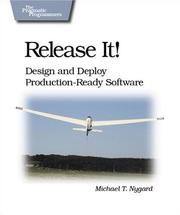 |
Release It! | timeouts, graceful shutdown, and failure handling: the "behave well under an orchestrator" chapter in book form. | View on Amazon |
 |
Site Reliability Engineering | health checks, graceful operations, and the discipline of shipping one tested artifact. | View on Amazon |
As an Amazon Associate I earn from qualifying purchases. Links on this page are affiliate links, and I may earn a commission at no extra cost to you.
Unlock AI That Actually Works
Get lifetime access to GPT-6 Astra, Claude Fable 5.1, Gemini 3.5, Grok 4.5, and more — all in one platform. Build websites, apps, videos, content, and digital products from a single command. No monthly fees. No tool-hopping.
Click here to get GPTAstra Max now — one-time payment, lifetime access.
Frequently Asked Questions
What kind of LLM app are you containerizing?
Two setups look similar and behave differently, so identify yours first. An API-calling app sends prompts to a hosted model over HTTP — the container stays small, needs no GPU, and starts fast, which is where most teams start. A self-hosted model runs the weights inside your container — it needs GPU access, tens or hundreds of gigabytes of weight files kept outside the image, and careful startup handling so the orchestrator doesn't kill it while loading. Everything else in this article applies to both; the GPU, weights, and slow-start sections only apply to the second kind.
What makes a production-grade Dockerfile?
Six habits. Multi-stage builds: the first stage installs dependencies, the second copies only the results, so build tools and caches stay behind and the image — and attack surface — shrinks. A slim, pinned base image: never 'latest' in production, since it changes under you; pin a digest for stricter reproducibility. A non-root user created before the app starts, so an intruder lands with fewer powers. Layer ordering: copy requirements and install before copying source, because dependencies change rarely and rebuilds stay fast. A .dockerignore excluding .git, .env files, virtual environments, notebooks, and unused model files. Then the runtime side: a /health endpoint that doesn't call the LLM provider on every poll, SIGTERM handling that finishes in-flight requests, timeouts aligned across proxy and outbound calls, structured logs to stdout, proxy settings that don't buffer streams, and resource limits tuned from real usage.
How do you handle secrets and config in LLM containers?
Anyone who pulls your image can read anything you baked into it, even from a deleted layer — and the LLM API key is the most valuable secret your app holds. So: never copy .env files into the image; never pass secrets as build arguments unless you use the build-secret mechanism designed for it; inject secrets at runtime through environment variables or, better, a secret manager; and rotate a key immediately if one ever lands in an image or a repo. Keep configuration separate from code too — model names, temperature, timeouts, and feature flags belong in environment variables, so the same image runs in staging and production with different settings. A local .dockerignore entry for .env is the cheapest protection in container land, and compose env_file loads secrets at runtime without baking them in.
How do you handle GPUs and model weights in containers?
GPU access needs three matched pieces: a GPU-enabled base image, a compatible driver on the host, and the NVIDIA container runtime or your platform's equivalent — match your CUDA version to your framework's requirements and check compatibility tables before you build, because mismatches cause confusing errors. Never bake model weights into the image; pulls and pushes become painfully slow. Mount a volume that holds them, download at startup from object storage into a local cache, or use a shared network cache so new replicas start quickly. And handle the slow start: a startup probe tells the orchestrator to wait instead of killing a container that's still loading, plus a warm test request before the instance is marked ready. Add vulnerability scanning in CI, regular base-image updates, a read-only filesystem where possible, commit-SHA tags, and promotion of the tested artifact instead of a rebuild.
Wrapping This Up
A good container makes your LLM app boring to deploy, and boring is the goal. Keep images small and pinned, keep secrets out of layers, and make your app behave well under an orchestrator. Handle weights and GPUs carefully if you host models yourself.
Start with the Dockerfile above and adapt it to your stack. Your next deploy might feel suspiciously calm, and you can enjoy that feeling.



 Join on Telegram