 Buy me a coffee
Contents
Figure 1: The platform matters less than the reps — but you still have to pick one
Seven platforms compared honestly, plus a 12-week plan
You can watch machine learning videos for a year and still freeze when you face an empty notebook. Practice is the fix. The hard part is choosing where to practice, because every platform claims to be the one.
I'll compare the big options honestly: what each one does well, where it falls short, and who should use it. Most of them cost nothing, so you can try several before committing.
What "Practice" Should Actually Mean
Reading about gradient descent isn't practice. Practice means loading messy data, breaking your own code, and fixing it. A good platform pushes you to do that.
Before you pick, decide which kind of practice you need:
- Guided exercises that check your answers and keep you moving.
- Real datasets with no instructions, where you make the decisions.
- Competitions that score your model against other people.
- Compute so you can run something heavier than a laptop allows.
No single platform covers all four well. That's why most learners end up using two or three.
Kaggle: The Best All-Round Practice Ground
Kaggle is the one most people mention first, and for good reason. It's free, and it bundles several things in one place. DataCamp's own roundup lists its short micro-courses, thousands of public datasets, ongoing competitions, free cloud GPU access, and public notebooks you can use as a portfolio.
Here's how each piece helps:
- Kaggle Learn: micro-courses of about 1–5 hours each. They're quick and get you coding fast — the same hands-on shape as our decision trees walkthrough.
- Datasets: a huge pile of real data for your own projects.
- Competitions: you build a model and see where you rank. That feedback is brutal and useful.
- Notebooks: free hosted notebooks with GPU access.
On the compute side, Kaggle's documentation gives sessions of up to 12 hours for CPU and GPU notebooks, with TPU sessions at 9. The accelerator menu changes, with T4 and P100 class GPUs reported. Kaggle publishes no fixed weekly GPU number. You'll see your quota in your account settings, and it can float. Roughly 30 hours a week is a common user report, so treat that as folklore, not a promise.
The downside? Competitions can mislead beginners. Top solutions often stack dozens of models, which teaches you leaderboard tricks more than production habits. IMO, use competitions to learn evaluation and feature work, and don't copy the ensembles.
DataCamp: Guided and Structured, With a Paywall
DataCamp teaches inside the browser. You read a short lesson, write code in a box, and get instant feedback. Its roundup says an AI tutor explains wrong answers. If you hate setting up Python on your machine, this removes the friction.
The pricing, per a July 2026 third-party review, looks like this:
- Basic (free): unlocks the first chapter of every course.
- Premium, billed annually: about $28 a month, or $336 a year, at regular price. Promotions often cut it roughly in half.
- Premium, monthly: about $35.
- Student Premium: 50% or more off for verified college students.
Those numbers come from one review, and the review itself had a small inconsistency in how it listed team pricing. Check DataCamp's pricing page before you pay.
My honest take: DataCamp is great for the first few weeks, when structure matters most. It's weaker once you want to build something nobody has handed you the answer to. Also, FYI, DataCamp's own article ranks DataCamp first on its list of free platforms, so weigh that ranking accordingly.
Google Colab: The Notebook You Already Know
Google Colab gives you hosted notebooks in your browser, including GPU access. It's popular because you open a link and start coding.
The free tier comes with caveats. Google doesn't name the free GPU, and users typically report a T4. Google says the available GPU and TPU types "vary over time." Sessions last at most 12 hours, depending on availability and usage, and idle runtimes time out. Google also says it doesn't publish its usage limits, so any "weekly hours" figure you read elsewhere is a user report.
One more change worth knowing: a free year of Colab Pro for US students and faculty, launched in July 2025, is closed to new signups. Existing verified users keep theirs until the year ends. If you read an older guide recommending it, skip that advice.
Free Courses With Real Projects
Courses aren't platforms in the strict sense, but a few combine lessons with hands-on work:
- fast.ai: a free course and companion book built around Jupyter notebooks, covering about 20 hours of video. It teaches deep learning by building things first and explaining theory later.
- freeCodeCamp: free certifications in Data Analysis with Python and Machine Learning with Python, with projects included.
- Coursera (audit mode): you can watch lectures for free. Graded assignments, peer review, and certificates cost money.
If you want math foundations, Khan Academy covers statistics and probability for free. It has no coding environment, so pair it with one of the options above.
Build Your Own Practice With Open Data
The most underrated platform is no platform. Grab a dataset and ask a question.
Good sources include the UCI Machine Learning Repository, data.gov, and Kaggle Datasets. Pick something you care about. Sports, music, your city's bus data, anything. Motivation matters more than the dataset's quality.
The first line of every such project looks the same:
import pandas as pd

df = pd.read_csv("your-dataset.csv")
print(df.shape)
df.head()
Then host the project on GitHub. A repository with a clear README, clean code, and honest results tells an employer far more than a certificate does. Show what you tried, what failed, and what you'd do next.
Personal note: my first "project" was a bike-share demand predictor that scored beautifully — then I noticed one of my top features was the timestamp of the record being predicted, basically the answer wearing a disguise. The public notebook had 40 upvotes before anyone caught it, me included. What it taught me stuck harder than any course: always ask what each feature would actually be at prediction time, and do a honest time-ordered split before trusting a number. That single scar is why the cross-validation guide in this series spends so long on splitting correctly.
Honest Comparison
| Platform | Best for | Cost | Watch out for |
|---|---|---|---|
| Kaggle | Datasets, competitions, free notebooks | Free | Leaderboard habits; quota can change |
| DataCamp | Guided, structured start | Free first chapters; paid after | Hand-holding; paywall |
| Google Colab | Quick hosted notebooks and GPUs | Free, with paid tiers | Unpublished limits; changing perks |
| fast.ai | Learning deep learning by building | Free | Assumes you can code |
| freeCodeCamp | Certified projects, no cost | Free | Less depth than a university course |
| Coursera (audit) | University-style lectures | Free to audit | Graded work is paid |
| GitHub + open data | Portfolio and original projects | Free | No curriculum; you steer |
A Simple Plan That Works
Don't try everything at once. Try this order:
- Weeks 1–3: use DataCamp's free chapters or Kaggle Learn to get comfortable with the basics.
- Weeks 4–8: pick a Kaggle dataset and build a full project in a notebook. Don't copy someone else's work.
- Weeks 9–12: enter one competition, but aim to understand the evaluation metric, not to win.
- Ongoing: publish every project on GitHub with a plain-English write-up.
If a project needs more compute, use a free notebook tier first, then consider paid compute only when you hit a real wall.
Common Mistakes
- Watching instead of typing — a finished video is not a finished rep.
- Copying Kaggle notebooks line by line without re-typing them from memory.
- Treating the leaderboard as a scoreboard instead of as a metric to understand.
- Paying before testing — every platform here has a free tier that reveals whether the format fits you.
- Choosing a platform for weeks instead of opening a dataset today.
- Doing only guided courses, never a freeform project where nobody checks your answer.
- Letting certificates pile up while your GitHub stays empty.
- Buying GPU compute before you need it — most practice is tabular and laptop-fast.
Best Book to Read
| Cover | Book | Description | Get it |
|---|---|---|---|
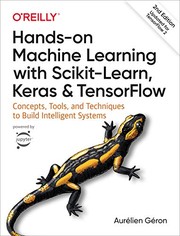 |
Hands-On Machine Learning with Scikit-Learn, Keras, and TensorFlow | - the book companion to this whole practice-first approach, with projects that mirror real Kaggle work. | View on Amazon |
 |
Python Data Science Handbook | - the pandas/numpy/matplotlib reference you'll keep open beside your notebook. | View on Amazon |
 |
An Introduction to Statistical Learning | - free as a PDF, and the theory backbone that makes the practice stick. | View on Amazon |
Partner offer
Educative Unlimited: every AI course, one subscription
Interactive, browser-based courses with no local setup — a natural fit for the learning path above. One subscription unlocks the full generative AI, ML, and data catalog, so you can work through it at your own pace.
As an Amazon Associate I earn from qualifying purchases. Links on this page are affiliate links, and I may earn a commission at no extra cost to you.
Unlock AI That Actually Works
Get lifetime access to GPT-6 Astra, Claude Fable 5.1, Gemini 3.5, Grok 4.5, and more — all in one platform. Build websites, apps, videos, content, and digital products from a single command. No monthly fees. No tool-hopping.
Click here to get GPTAstra Max now — one-time payment, lifetime access.
Frequently Asked Questions
Is Kaggle good for machine learning beginners?
Yes — it's the best free all-round starting point: micro-courses of 1–5 hours, thousands of real datasets, free hosted notebooks with GPU access, and competitions. The one caveat for beginners is that competition solutions often stack dozens of models, which teaches leaderboard tricks rather than production habits. Use competitions to learn evaluation and feature work, and don't copy the ensembles.
Is DataCamp worth paying for?
For the first few weeks, usually yes — the in-browser lessons with instant feedback remove setup friction when structure matters most. It's weaker once you want to build something nobody handed you the answer to. The free tier (first chapter of every course) is enough to test the format, and promos often cut the annual plan roughly in half, so never pay full price without checking.
What is the best free platform to practice ML?
Kaggle, if you want one answer: datasets, competitions, micro-courses, and free GPU notebooks with no paywall. Pair it with Google Colab for quick hosted compute and fast.ai or freeCodeCamp for free project-based courses. And don't underestimate the most underrated platform: no platform — grab an open dataset, ask your own question, and publish the project on GitHub.
How do I practice machine learning without a GPU?
Most practice doesn't need one. pandas, scikit-learn, and tabular projects run fine on a laptop or a free notebook tier. Use free GPU sessions (Kaggle, Colab) only when a project genuinely needs them — deep learning courses, fine-tuning, or computer vision. Only consider paid compute after you've hit a real wall on the free tiers.
Wrapping This Up
You don't need to spend money to practice machine learning. Kaggle gives you data, competitions, and notebooks. Colab gives you quick compute. fast.ai and freeCodeCamp give you free courses with projects. DataCamp helps if you want structure and don't mind paying after the first chapters.
Pick one platform today, open a dataset, and write the first line of code. Then post your first project to GitHub within the month — and when you're ready to compare models systematically, the algorithm-selection guide gives you the process, with the wider terrain mapped in the algorithms guide.



 Join on Telegram