 Buy me a coffee


Contents
Figure 1: Best Pandas Courses and Books for Real-World Data Wrangling — the resources below are ranked by how well they prepare you for a CSV that fights back
Your CSV has three date formats, two spellings of "California", and a column called Unnamed: 7. Tutorials never show that mess, and real data wrangling is almost nothing else. So the resources below are ranked by one question: do they teach you to survive ugly data, or only clean sample files?
I checked the platform and publisher pages in this session, and I cannot vouch for every syllabus update or every printing. One book on this list has a newer edition than the code samples you will find in blog posts, so verify the edition before you spend money. Every book links to an Amazon search rather than a fixed ASIN, so you land on whatever edition is actually in stock.
What Makes a Good Pandas Resource?
Pandas has a huge surface area, and most beginners learn it as a bag of tricks. A good resource teaches you to think in DataFrames instead. Here is the checklist I used:
- Core mechanics: indexing,
locandiloc, filtering, sorting. - Cleaning skills: missing values, duplicates, type conversion, string handling.
- Reshaping:
groupby,merge,pivot,melt. - Time handling: parsing dates, resampling, rolling windows.
- Performance habits: vectorisation over loops, memory-friendly dtypes.
- Practice data that fights back, not the iris dataset.
If you have ever pasted a Stack Overflow answer you did not understand, the resource you were using taught you syntax instead of a model of the library. That is the gap this list tries to close.
First, the Mess Nobody Shows You
Before the recommendations, here is the failure mode that separates a good pandas resource from a bad one. I built a ten-row sales file with the problems that show up in every real export: three date formats, four spellings of two states, currency strings with commas, n/a in a numeric column, a duplicate row recorded twice, and an empty Unnamed: 7 column.
import csv

import pandas as pd

rows = [
    ("1", "2026-01-05", "California", "$1,234.50", "ok", ""),
    ("2", "05/01/2026", "CA", "1234.5", "ok", ""),
    ("3", "Jan 5 2026", "calif.", "$1,200.00", "", ""),
    ("4", "2026-01-06", "New York", "$980.25", "ok", ""),
    ("5", "06/01/2026", "NY", "", "missing", ""),
    ("6", "Jan 6, 2026", "new york", "$1,010.00", "ok", ""),
    ("7", "2026-01-07", "California", "$1,234.50", "duplicate?", ""),
    ("8", "07/01/2026", "CA", "$1,234.50", "duplicate?", ""),
    ("9", "Jan 7 2026", "Texas", "n/a", "", ""),
    ("10", "2026-01-08", "TX", "$640", "ok", ""),
]

with open("sales.csv", "w", encoding="utf-8", newline="") as f:
    w = csv.writer(f)
    w.writerow(["id", "date", "state", "amount", "note", "Unnamed: 7"])
    w.writerows(rows)
Then I tried the three date-parsing strategies that every tutorial recommends, and compared what each one produced. This is the whole argument for learning cleaning mechanics properly.
| Parse strategy | Rows out | Months present | Verdict |
|---|---|---|---|
pd.to_datetime(col, format="mixed") |
10 | 2026-01, 05, 06, 07 | Silently wrong. Three rows shifted |
format="mixed", dayfirst=True |
10 | 2026-01, 05, 06, 07, 08 | Worse. Adds August |
| Explicit format strings, then dedupe | 8 | 2026-01 only | Correct. Duplicates collapse |
The naive format="mixed" call ran without a single warning and produced a date range of January to July for a file that only contains eight January days. Adding dayfirst=True — the fix most blog posts suggest — moved a fourth row into August, because it reinterpreted 2026-01-08 differently. Neither call raised an error, which is exactly why this class of bug survives into dashboards.
The version that worked parses each row against a known list of formats and fails loudly when none of them match:
STATES = {"ca": "california", "calif.": "california", "ny": "new york", "tx": "texas"}
FORMATS = ("%Y-%m-%d", "%d/%m/%Y", "%b %d %Y", "%b %d, %Y")


def parse_one(s):
    for fmt in FORMATS:
        try:
            return pd.to_datetime(s, format=fmt)
        except (ValueError, TypeError):
            continue
    return pd.NaT


clean = (
    df.drop(columns=[c for c in df.columns if c.startswith("Unnamed")])
      .assign(
          date=df["date"].map(parse_one),
          state=df["state"].str.strip().str.lower().replace(STATES),
          amount=pd.to_numeric(
              df["amount"].str.replace(r"[$,]", "", regex=True), errors="coerce"
          ),
      )
      .drop_duplicates(subset=["date", "state", "amount"])
      .sort_values("date")
      .reset_index(drop=True)
)
Output on pandas 3.0.6: 8 rows, one month (2026-01), a range of 2026-01-05 to 2026-01-08, two null amounts from the blank and the n/a, and dtypes int64 / datetime64[us] / str / float64 / str. The two duplicate pairs collapsed, which the naive parse had hidden by scattering the copies across different months.
That is the test I apply to every resource below: does it teach the explicit parse, or does it stop at pd.to_datetime and move on?
Best Books for Learning Pandas
Python for Data Analysis by Wes McKinney
McKinney created pandas, and this is still the reference. It covers loading, cleaning, merging, reshaping and time series, and it explains why pandas behaves the way it does, which is what saves you hours later. The third edition is free to read online at the author's own site, so you can check the chapter style before buying [1].
What I like:
- Authoritative explanations from the person who wrote the library.
- Broad coverage of the whole wrangling workflow, not just selection.
- Real foundations in NumPy and data handling.
The downside is that it reads like a textbook rather than a project guide, and the third edition predates pandas 3. Treat the code as a strong starting point and expect small fixes. Buy on Amazon
Effective Pandas by Matt Harrison
Harrison teaches a method-chaining style that makes code readable and debuggable. You stop writing ten temporary variables and start writing one pipeline you can read top to bottom, which is the style the cleaning snippet above uses.
It assumes you already know some Python, and beginners find it brisk. Once you finish it, your scripts look noticeably more professional. Buy on Amazon
Pandas Cookbook by Theodore Petrou
Petrou organises recipes by task, so you jump straight to the problem on your desk. Selection, grouping, restructuring and visualisation all get real datasets rather than toy frames.
Recipes show you how and not always why, so pair this with McKinney for the reasoning. Buy on Amazon
Pandas in Action by Boris Paskhaver
This Manning title is the one to hand a true beginner. Paskhaver explains concepts step by step in plain language, assumes little, and builds slowly, and the publisher's page describes the same progression through loading, cleaning and reshaping [3].
If McKinney feels dense, start here and graduate later. Buy on Amazon
Python Data Science Handbook by Jake VanderPlas
VanderPlas publishes the whole book free online, and the pandas section is compact and readable [2]. It covers indexing, aggregation and combining datasets, plus NumPy and visualisation, so you get a small data science education for nothing.
Some code shows its age, so expect small tweaks. The price still beats everything else on this list. Buy on Amazon
Python Data Cleaning Cookbook by Michael Walker
Cleaning eats most of a data analyst's week, and this book is entirely about it: missing values, outliers, inconsistent formats, validation. Each recipe is a problem you will hit within a month of real work.
Most pandas books give cleaning one chapter. Walker gives it the whole book, which is the gap the list above leaves open. Buy on Amazon
Best Pandas Courses
Kaggle Learn: Pandas
Kaggle's micro-course runs a few hours, teaches the essentials, and needs no local setup because you code in the browser [4]. It covers indexing, grouping, sorting and merging, and it is free.
It is deliberately short, so it will not make you an expert. As a first step it costs nothing and wastes no time.
DataCamp: Data Manipulation with pandas
DataCamp uses short lessons with instant feedback: read a line, write code, get graded immediately. That loop keeps beginners moving when a book would stall them.
Subscription pricing applies, and the exercises hold your hand tightly in places. Check the current syllabus before paying, because course contents change between seasons.
Coursera: Applied Data Science with Python
The University of Michigan specialisation puts pandas next to visualisation, machine learning and text mining, and its pandas course has graded assignments rather than passive video [5]. Graded work is the part self-study usually skips.
Expect a bigger time commitment, and verify pricing and audit options on the current page. Programs on Coursera get restructured regularly.
Dataquest: Data Analyst in Python
Dataquest teaches through projects in an interactive environment, so you clean real datasets and build a portfolio as you go. It treats wrangling as a job skill rather than a trivia contest, and the guided path removes the "what do I build next" problem.
The path is long and the subscription is real money. If you want a structured route into a data role, that structure is the product.
Real Python and YouTube Tutorials
Real Python publishes in-depth articles on specific confusion, including the SettingWithCopyWarning family of problems, and Corey Schafer's free video series is unusually patient. Both are supplements, not curricula.
Use them when a concept refuses to click. A good tutorial often clears in twenty minutes what a chapter could not.
Quick Comparison
| Resource | Type | Best for |
|---|---|---|
| McKinney | Book | All-around reference, free online |
| Harrison | Book | Clean, chained, production-style code |
| Petrou | Book | Task-based recipes |
| Paskhaver | Book | Absolute beginners |
| VanderPlas | Book | Free book with a solid pandas section |
| Walker | Book | Data cleaning specifically |
| Kaggle Learn | Course | Free quick start, no setup |
| DataCamp | Course | Short guided lessons with feedback |
| Coursera | Course | Structured, graded learning |
| Dataquest | Course | Portfolio building and job skills |
How to Choose Your Path
You do not need everything on this list. Three honest questions narrow it down.
What Is Your Current Level?
Never touched pandas? Start with Kaggle Learn or Paskhaver. Already writing scripts? Jump to Harrison or Walker. Pick the resource that stretches you slightly, not one that crushes you or bores you.
What Is Your Goal?
A data analyst job calls for portfolio projects. Faster work reports call for Harrison's chaining and Walker's cleaning recipes. Research code calls for the reference book. Match the resource to the outcome, not to the cover.
How Do You Learn Best?
Video and browser exercises suit some people; others need a book open beside a terminal. Whichever you pick, type every example yourself, then break it on purpose. Reading about merge teaches you almost nothing; a failed join with duplicated keys teaches you the rest.
Common Pitfalls
- Looping over rows.
iterrows()on a large frame crawls, and vectorised operations are the whole point. - Ignoring dtypes. A numeric column stored as
objectbreaks arithmetic and bloats memory, anddf.dtypesis the first thing to print on any new file. - Chained indexing.
df[df.a > 1]["b"] = 0triggers warnings and unpredictable writes; use.locinstead. - Trusting automatic date parsing. As the experiment above shows,
format="mixed"moved three of ten rows into the wrong month without a warning. - Skipping messy practice data. Clean tutorial datasets build clean habits; grab a dirty public export and fight with it.
- Memorising method names instead of the index model. Learn how alignment and indexes work and the rest follows.
Every one of those mistakes comes from treating pandas like Excel with extra steps, not from choosing the wrong course.
A Quick Note on Pandas Versions
The experiment above ran on pandas 3.0.6. Pandas 3 made Copy-on-Write the default and moved string columns to a dedicated str dtype, so code from older books and courses can behave differently today — the dtypes printed above are str, not object, which is a pandas 3 result.
Check which version a resource targets, and read the release notes when something breaks. A course recorded against pandas 1.x will still teach you the index model correctly and will still throw warnings on your machine.
Best Book to Read
| Cover | Book | Description | Get it |
|---|---|---|---|
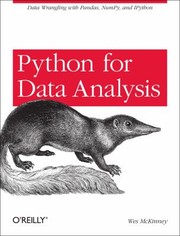 |
Python for Data Analysis | the reference the other nine resources quietly assume, free to read online in its third edition, with the date-handling and reshaping chapters the messy CSV above demands. | View on Amazon |
As an Amazon Associate I earn from qualifying purchases. Links on this page are affiliate links, and I may earn a commission at no extra cost to you.
Wrapping Up
The best pandas resource is the one you finish and apply to real data. Start with Kaggle Learn or Paskhaver if you are new, move to McKinney and Harrison as you grow, and add Walker's cleaning cookbook the first time a dataset genuinely fights back.
So pick one resource this week and grab a messy export you actually care about. Clean it, reshape it, and answer one real question with it. If the date column turns out to be lying to you, congratulations: you have just met the reason this list exists.
Frequently Asked Questions
What is the best pandas book for beginners?
Pandas in Action by Boris Paskhaver, because it assumes almost nothing and builds one concept at a time. If you already write Python comfortably, Python for Data Analysis by Wes McKinney is the better long-term reference, and it is free to read online at the author's site.
Is Python for Data Analysis still relevant with pandas 3?
The concepts are, and some of the code is not. The third edition predates pandas 3, where Copy-on-Write became the default and string columns moved to a dedicated dtype, so expect deprecation warnings and small fixes. Read it for indexing, reshaping and the time series chapter, then check the release notes for anything that errors.
Should I learn pandas from a course or a book?
A short course first if you have never used pandas, because browser exercises remove the setup friction that kills most beginners. A book once you can load and filter a DataFrame, because books cover the reshaping and cleaning edge cases that short courses skip. The two complement each other rather than compete.
Why does pandas mis-parse my dates?
Because dd/mm/yyyy and mm/dd/yyyy are ambiguous, and the parser has to guess. In the ten-row file tested for this post, format="mixed" pushed three rows into May, June and July, and adding dayfirst=True made it worse by also moving a row to August. Parse with explicit format strings, or you will silently shift rows into the wrong month.
How much time should I spend on cleaning versus modelling?
More than you expect. Type conversion, duplicate detection and date parsing are where silent errors enter an analysis, and a model built on mis-parsed dates produces confident nonsense. Learn the cleaning mechanics properly once and every later project gets faster.
Sources
[1]Wes McKinney, Python for Data Analysis, 3rd edition — the free online edition, including the data loading, cleaning, reshaping and time series chapters: wesmckinney.com/book[2]Jake VanderPlas, Python Data Science Handbook — the free online edition, with the pandas section on indexing, aggregation and combining datasets: jakevdp.github.io/PythonDataScienceHandbook[3]Boris Paskhaver, Pandas in Action — the Manning book page, describing the beginner progression through loading, cleaning and reshaping: manning.com/books/pandas-in-action[4]Kaggle, Learn: Pandas — the free browser-based micro-course, plus the paid interactive paths it sits alongside: kaggle.com/learn/pandas, datacamp.com/courses/data-manipulation-with-pandas, dataquest.io/path/data-analyst[5]University of Michigan, Applied Data Science with Python — the Coursera specialisation page, with the pandas course and its graded assignments: coursera.org/specializations/data-science-python


 Get Free Course Notes →