 Buy me a coffee

Contents
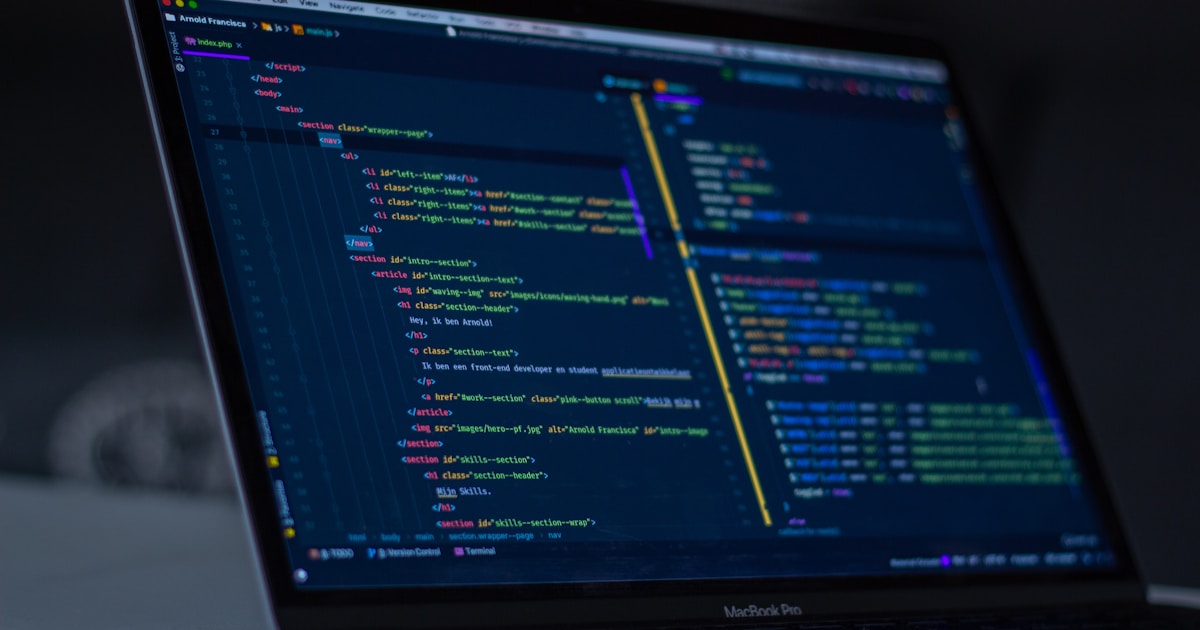
Figure 1: How to Read an Unfamiliar ML GitHub Repo — you clone a promising repo, run pip install, and watch it explode. An hour later, you still can't find where the loss gets computed. Let's fix that.
You clone a promising repo, run pip install -r requirements.txt, and watch it explode. You fix that, then hit a config file with 300 lines, a training script that imports from nine modules, and a README that says "see paper." An hour later, you still can't say where the loss gets computed. Sound familiar?
I cannot claim I have read every kind of repo out there, and I have not run the commands below in this conversation, so test them before you rely on them. IMO, reading code well is a learnable method, not a talent. Most people read repos in the wrong order, starting at the top of a random file. Let us fix that.
Step 0: Decide Why You Are Reading
Your goal changes your reading strategy. Pick one:
- Use it as is: you need install, config, and a working command
- Reproduce a paper: you need to match specific numbers
- Adapt it: you need to find the right place to change things
- Learn from it: you want to understand the algorithm
- Evaluate it: you need to decide whether to trust or adopt it
Ever read a whole codebase and then forgot why you opened it? A clear goal prevents that.
Step 1: Triage in Five Minutes
Before you read any code, judge whether the repo deserves your time. Check these signals:
- README quality: does it explain what the project does, how to install it, and how to run an example?
- Paper or docs link: can you compare the code to a written description?
- License: can you legally use it for your purpose?
- Last commit and release dates: does anyone maintain it?
- Open issues: do people report the same install failure you are about to hit?
- Pinned versions: do the requirements specify exact versions?
- Tests and CI: do any exist, and do they pass?
Stars measure popularity, not correctness. Issues and commit history tell you how the repo behaves today. If three recent issues say "does not reproduce paper results," believe them.
Step 2: Map the Repo Before You Read It
Start with structure, not content. List the files:
git clone <repo-url> && cd <repo>
git log --oneline | head -20      # recent activity
tree -L 2 -I "__pycache__|.git"   # layout (or: find . -maxdepth 2)
Then identify four things:
- Entry points: look for
train.py,main.py,run.py,scripts/, CLI definitions inpyproject.tomlorsetup.py, andMakefiletargets - Configs: YAML, JSON, Hydra, argparse, or dataclasses that control behavior
- Core library code: the folder with models, algorithms, and utilities
- Data handling: loaders, preprocessing, and dataset definitions
Draw a rough sketch on paper: entry point → config → data → model → loss → optimizer → evaluation. You will fill in the boxes as you read. Why map first? Because a mental skeleton makes every later file easier to place.
Step 3: Set Up the Environment Safely
Install problems eat more time than algorithm problems, and unfamiliar code deserves caution.
Isolate It
Use a fresh virtual environment or container. Never install an unfamiliar repo into your main environment. Pin versions as you go, and record what finally worked.
Read Before You Run
Skim requirements.txt, setup scripts, and any install shell scripts before you execute them. Be suspicious of scripts that download and run remote code, and of dependencies you do not recognize.
Mind Model Files
Python's pickle format can execute code when loaded, and PyTorch checkpoints often use it. Prefer safetensors files where available, and avoid loading checkpoints from sources you do not trust. FYI, this matters even more for agent and LLM repos that ship "skills" or plugins.
Run the Tests
pytest -x -q
Passing tests give you a baseline. Failing tests tell you what drifted, often a version mismatch.
Step 4: Run the Smallest Possible Thing
Don't start a 48-hour training run. Find the tiniest working example:
- A smoke test: one batch, one step, tiny model
- A toy dataset: a few hundred examples
- A fixed seed: so reruns match
- CPU mode: if the repo supports it, since errors surface faster
Watch what prints. Note the shapes, losses, and logged metrics. If the smallest run does not work, nothing larger will. Fix that first.
Step 5: Trace the Data Path
Now read code, but follow data instead of files. Pick one training example and track it:
- Loading: where does raw data come from, and in what format?
- Preprocessing: what transforms, tokenization, or normalization happen?
- Batching: how do collation, padding, and masking work?
- Model input: what shape and dtype reach the model?
- Model output: what does the model return?
- Loss: where does the loss compute, and from which tensors?
- Update: how does the optimizer step, and with what schedule?
- Evaluation: which data, which metric, and which code path?
Drop print(x.shape) or a breakpoint() at each stage. Seeing real tensors beats imagining them:
breakpoint() # then inspect: x.shape, x.dtype, x.min(), x.max(), x.mean()
A reader who traces one example understands more than a reader who skims twenty files.
Step 6: Compare the Code to the Paper
If the repo implements a paper, read both side by side. Match equations to lines of code, and write the mapping down.
Look for details that papers skip and code includes:
- Normalization: input scaling, observation normalization, layer norm placement
- Initialization: weight initialization schemes
- Clipping: gradient clipping, ratio clipping, reward clipping
- Learning rate schedules and warmup
- Data augmentation: training-time tricks that affect results
- Evaluation protocol: how many seeds, which checkpoint, which metric
These details often explain why a reproduction misses reported numbers. When code and paper disagree, trust the code for what it does and the paper for what the authors intended, then note the gap.
Step 7: Read the Config Like a Contract
Configs hide behavior. Read them carefully:
- Defaults vs. paper values: do they match what the authors reported?
- Overrides: how do command-line flags and config files interact?
- Derived values: which settings compute from others?
- Dead options: which flags do nothing?
Log the full resolved config at the start of every run. Ever debugged a "bug" that turned out to be a default you never looked at? That is why.
Step 8: Audit the Evaluation
Training code gets attention, but evaluation code decides whether results mean anything. Check:
- Splits: are train, validation, and test truly separate?
- Leakage: could test information reach training through preprocessing or normalization statistics?
- Metric definitions: does the code compute what the paper's metric means?
- Seeds: how many runs back the reported numbers?
- Checkpoint selection: does the code pick the best checkpoint using the test set?
- Baselines: do the compared methods get equal tuning?
This step catches the most embarrassing failures in the field. A beautiful training curve means little if evaluation leaks.
Step 9: Use the Right Tools
You do not need exotic tooling:
greporripgrep: find where a function, flag, or loss gets usedgit log -p <file>andgit blame: learn why a strange line exists- A debugger or
breakpoint(): inspect real values mid-run - Your editor's "go to definition": follow calls quickly
- Logging and experiment trackers: compare runs side by side
- A profiler: find slow data loading or GPU stalls
rg "def compute_loss|loss =" --type py    # find the loss
git log -S "clip" --oneline               # when did clipping appear?
Git history often explains the weird parts. A commit message that says "fix NaN with extra clamp" tells you what that clamp does.
Step 10: Reproduce a Known Result
Before you change anything, reproduce one published number or one number from the README. This step proves your environment, data, and understanding all work.
If you cannot match the number:
- Check versions: library, CUDA, and framework differences matter
- Check the config: you may have changed a default
- Check seeds and variance: run several seeds
- Check the issues: others may report the same gap
- Compare against a simpler baseline: make sure the pipeline is not broken
A repo you cannot reproduce is a repo you cannot trust.
Domain-Specific Reading Tips
Reinforcement Learning Repos
- Environment wrappers: observation normalization, reward scaling, and frame stacking change results
- Advantage normalization and value clipping: common PPO details
- Vectorized environments: batch sizes and rollout lengths interact
- Evaluation episodes: deterministic or stochastic policy, and how many episodes
- Seeds: RL variance is large, so one run proves little
Language Model Repos
- Tokenizer and chat templates: a mismatch silently ruins training
- Padding and attention masks: padding side matters
- Loss masking: does the loss ignore prompt tokens?
- Precision and sharding settings: mixed precision and parallelism affect stability
- Generation settings: temperature, top-p, and max length change evaluation
Computer Vision and Tabular Repos
- Augmentation pipelines: training-time randomness shapes results
- Normalization statistics: where do mean and std come from?
- Class imbalance handling: weights, sampling, and metrics
- Feature engineering: hidden leakage hides here
Red Flags to Watch For
- No license: you cannot legally reuse the code
- Hard-coded paths and secrets: signs of unfinished or unsafe code
- Unpinned or very old dependencies: expect install pain
- Results with no scripts to reproduce them
- Test-set tuning: hyperparameters chosen on test data
- Copy-pasted code with no attribution
- Huge files with no structure: hard to audit
- Downloads of unknown binaries or checkpoints
One red flag means proceed carefully. Several mean walk away.
Take Notes as You Read
Keep a running file in the repo's folder:
- Goal: why you are reading
- Map: entry points, configs, key modules
- Data flow: the path you traced, with shapes
- Mismatches: paper vs. code differences
- Questions: things you still do not understand
- Commands that worked: the exact install and run commands
Notes turn an hour of confusion into reusable knowledge. You will thank yourself in a month.
Common Mistakes to Avoid
- Reading top to bottom. Follow data and control flow instead.
- Skipping the smoke test. Big runs hide small bugs.
- Trusting the README blindly. Run the commands yourself.
- Changing things before reproducing. You will not know what broke.
- Ignoring evaluation code. Leaks live there.
- Installing into your main environment. Isolate it.
- Running untrusted checkpoints or scripts. Read first.
- Reading alone for hours. Check issues, discussions, and commit history.
Did you notice that most mistakes involve skipping a step?
A Short Checklist
Copy this into your notes:
- State your goal
- Triage: README, license, activity, issues
- Map: entry points, configs, core code, data
- Isolate the environment and read install scripts
- Run the tests and a smoke test
- Trace one example through the whole pipeline
- Compare code to the paper
- Audit configs and evaluation
- Reproduce one known number
- Write notes, then make small changes
Final Thoughts
Reading an unfamiliar repo works like exploring a city: get a map, walk one route end to end, and verify what you see. Triage first, run something small, trace the data, and compare against the paper. Treat evaluation code as the most important code in the repo.
So pick one repo you have been avoiding this week and spend an hour on steps 1 through 5. Write down the data path with real tensor shapes. If you can explain it to a friend, you understand it. If you cannot, congratulations: you found exactly where to look next, and that is progress.
Frequently Asked Questions
What is the first thing I should do when I open an unfamiliar ML repo?
Triage in five minutes: check README quality, license, recent commits, issues, pinned versions, and tests. Do not read code yet — judge whether the repo deserves your time.
What is the best order to read files in an ML repo?
Do not read top to bottom. Map the repo first: find entry points, configs, core code, and data handling. Then trace one data example through the entire pipeline from loading to loss to optimizer step.
How do I verify a repo implements a paper correctly?
Read the paper and code side by side. Match equations to code lines, check normalization, initialization, clipping, learning rate schedules, and evaluation protocol. Write down the mapping.
How do I safely run an unfamiliar repo?
Use a fresh virtual environment or container. Read install scripts before running them. Never load pickle checkpoints from untrusted sources. Run tests first, then a smoke test (one batch, tiny model, CPU).
What is the most important code to read in an ML repo?
The evaluation code. Training code gets attention, but evaluation code decides whether results mean anything. Check for data leakage, proper splits, correct metrics, and fair baselines.
Sources
[1]GitHub Documentation, Understanding the GitHub flow — workflow and best practices: docs.github.com[2]NumPy Documentation, Pickle files and security — warning about pickle files: numpy.org[3]PyTorch Documentation, Safetensors format — safe model serialization: pytorch.org[4]Pytest Documentation, Running tests — test execution and debugging: docs.pytest.org[5]Ripgrep Documentation, Searching code — fast code search: github.com/BurntSushi/ripgrep


 Get Free Course Notes →