 Buy me a coffee
Contents
Figure 1: Three scalers, three formulas — the right one depends on your outliers and your model
One column spanning 278 to 1,680, another spanning 0.13 to 0.7 — and your model notices
Your model scored 70% accuracy. You scale the features, change nothing else, and it jumps to 96%. That isn't a trick. That's what happens when one column spans 278 to 1,680 and another spans 0.13 to 0.7.
Scikit-learn gives you three go-to scalers, and picking the wrong one can quietly hurt you. Here's what happened when all three were run on real data, with and without ugly values.
What Scaling Actually Does
Scaling rescales each feature so no single column bullies the others. Many models compare distances or take gradient steps, and both react badly to wildly different ranges. Each scaler uses a simple formula, and all three check out against scikit-learn in code:
StandardScaler:(x - mean) / std. Result: mean 0, standard deviation 1.MinMaxScaler:(x - min) / (max - min). Result: values squeezed into [0, 1].RobustScaler:(x - median) / IQR, where IQR is the gap between the 25th and 75th percentiles. Per scikit-learn's docs, the defaults arequantile_range=(25.0, 75.0)and centering plus scaling both on.
All three are affine transforms, so they shift and stretch a feature but don't change its shape. A skewed column stays skewed.
The Outlier Test
Here's where they split. Take 1,000 normal values (mean 50, standard deviation 10) and measure how wide a band the middle 95% occupies after scaling. Then add one extreme value of 5,000:
| Scaler | Middle-95% width, no outlier | With one outlier |
|---|---|---|
| StandardScaler | 3.864 | 0.242 |
| MinMaxScaler | 0.624 | 0.0076 |
| RobustScaler | 2.854 | 2.850 |
One bad value flattened the other two scalers' output. MinMaxScaler crushed 95% of the data into a band under 0.01 wide, because that single point defined the maximum. StandardScaler suffered too, since the outlier inflated the standard deviation. RobustScaler barely noticed, because the median and IQR ignore extremes.
That matches scikit-learn's own gallery example, which says "StandardScaler and MinMaxScaler are very sensitive to the presence of outliers" and that RobustScaler's statistics "are therefore not influenced by a small number of very large marginal outliers." FYI: the same page notes the outliers still exist after RobustScaler — it centers around them but doesn't remove them.
Which Models Even Care?
Four models on the wine dataset (13 features, very different ranges), using 5-fold cross-validation repeated 3 times, with the scaler fit inside each training fold. Accuracy:
| Model | None | Standard | MinMax | Robust |
|---|---|---|---|---|
| kNN (k=5) | 0.7004 | 0.9607 | 0.9681 | 0.9531 |
| SVM (RBF) | 0.6723 | 0.9831 | 0.9887 | 0.9813 |
| Logistic regression | 0.9607 | 0.9832 | 0.9850 | 0.9850 |
| Random forest | 0.9794 | 0.9775 | 0.9794 | 0.9775 |
The pattern is clear:
- Distance-based models (kNN, SVM) collapse without scaling. Both lost about 25 to 30 points.
- Logistic regression gains a little. It still worked unscaled here, but scaling helped.
- Random forest doesn't care. Trees split on thresholds, so rescaling a feature doesn't change which splits make sense. The small differences in the table (0.9775 vs 0.9794) are within noise — ties in split choices are a plausible cause.
That means "scale everything" is wasted effort for tree models. IMO, it's harmless but pointless there.
When Data Is Dirty
Real data has errors. So the wine data got corrupted: 3% of the cells in three columns (alcohol, magnesium, and proline) multiplied by 10, which mimics a unit mix-up. That's only 15 corrupted cells, so it's a small test. Accuracy:
| Model | None | Standard | MinMax | Robust |
|---|---|---|---|---|
| kNN (k=5) | 0.6872 | 0.8781 | 0.9044 | 0.9007 |
| SVM (RBF) | 0.6873 | 0.9327 | 0.9270 | 0.8858 |
| Logistic regression | 0.9589 | 0.9474 | 0.9230 | 0.9720 |
| Random forest | 0.9756 | 0.9756 | 0.9756 | 0.9756 |
Here's the honest part: there's no consistent winner. RobustScaler was best for logistic regression and the worst for SVM. MinMaxScaler won for kNN but was the worst for logistic regression. StandardScaler won for SVM. One corruption pattern and one random seed for it means the gaps between scalers could easily shift on another draw. What can be said safely: corruption cost every scaled model several points, and no scaler rescued kNN from it.
One more detail: the unscaled logistic regression hit its 10,000-iteration limit in 2 of 15 fits on the corrupted data and didn't converge. The scaled versions converged fine. Unscaled features slow down gradient-based solvers, which is a second reason to scale, beyond accuracy.
Don't Leak, and Expect Surprises at Test Time
Always fit the scaler on training data only, then reuse it on test data. Put it inside a Pipeline so cross-validation does that automatically. It's the one rule worth memorizing — the same rule the preprocessing guide drills for every learned step:
from sklearn.pipeline import Pipeline
from sklearn.preprocessing import StandardScaler
from sklearn.svm import SVC

pipe = Pipeline([
    ("scale", StandardScaler()),
    ("model", SVC(kernel="rbf")),
])

# the scaler is fit on each training fold, never on the full dataset
pipe.fit(X_train, y_train)
It has a side effect with MinMaxScaler: test values can fall outside [0, 1]. On a 30% hold-out of the wine data, 10 of 702 test values landed outside that range, from -0.222 to 1.309. That's normal — scikit-learn doesn't clip unless you pass clip=True. Just don't be shocked when "0 to 1" isn't strictly 0 to 1 in production.
A real story makes the point: on one project, a MinMaxScaler was fit on training data where the top value of a "transaction amount" column was modest, and everything downstream assumed the scaled output stayed in [0, 1]. A new batch arrived with larger amounts, outputs crept past 1.0, and a validation step that asserted "features must be in [0, 1]" rejected the batch and failed the pipeline run. The scaler wasn't wrong — an assumption about its output range was. If something downstream depends on bounds, either pass clip=True or stop assuming the range is closed.
Which Scaler Should You Use?
Use this as a starting point, then validate:
- Default choice:
StandardScaler. It works well for most linear models and SVMs, especially when features look roughly bell-shaped. - Need a bounded range:
MinMaxScaler. Think neural network inputs or image pixels. Check for outliers first, since one extreme value squashes everything else. - Outliers you can't or won't remove:
RobustScaler. Its statistics ignore extremes, as the experiment showed. - Tree-based models: skip scaling. The random forest gave 0.9756 under every option on the corrupted data.
- Heavy outliers that need clipping: scikit-learn points to non-linear options such as
QuantileTransformerorPowerTransformer— untested here.
A quick sanity check on your own data before choosing, as the missing-data guide suggests, is to profile each column: if max is many standard deviations above the mean, treat scaling as an outlier question first. Then put each candidate in a Pipeline and let cross-validation decide, as covered in the cross-validation guide.
Common Pitfalls
- Fitting the scaler on the full dataset before splitting — test statistics leak into training.
- Assuming MinMaxScaler output stays in [0, 1] at serving time — it doesn't, without
clip=True. - Scaling before a tree model and calling it best practice — harmless, pointless work.
- Picking RobustScaler because "robust sounds safer" — on clean data it buys nothing over StandardScaler.
- Ignoring convergence warnings on unscaled data — gradient solvers slow down or stall.
- Reading one corrupted draw as a ranking of scalers — the winner changed per model.
- Expecting scaling to fix dirty values — a unit mix-up scaled is still a unit mix-up.
Best Book to Read
| Cover | Book | Description | Get it |
|---|---|---|---|
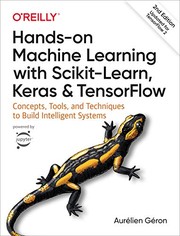 |
Hands-On Machine Learning with Scikit-Learn, Keras, and TensorFlow | the end-to-end project chapters show scaling as one step inside a pipeline, not a magic accuracy button. | View on Amazon |
 |
Python Feature Engineering Cookbook | recipe-style coverage of scaling, transforms, and when each one fits. | View on Amazon |
 |
An Introduction to Statistical Learning | the statistical grounding for why distance and gradient methods react to feature ranges. | View on Amazon |
 |
Feature Engineering for Machine Learning | the classic treatment of scaling and transforms as featurization, not preprocessing trivia. | View on Amazon |
As an Amazon Associate I earn from qualifying purchases. Links on this page are affiliate links, and I may earn a commission at no extra cost to you.
Unlock AI That Actually Works
Get lifetime access to GPT-6 Astra, Claude Fable 5.1, Gemini 3.5, Grok 4.5, and more — all in one platform. Build websites, apps, videos, content, and digital products from a single command. No monthly fees. No tool-hopping.
Click here to get GPTAstra Max now — one-time payment, lifetime access.
Frequently Asked Questions
Which feature scaler should I use by default?
StandardScaler is the safe default: it works well for most linear models and SVMs, especially when features look roughly bell-shaped. Reach for MinMaxScaler when you need a bounded range (neural network inputs, image pixels) — but check for outliers first, since one extreme value squashes everything else. Reach for RobustScaler when outliers you can't or won't remove are present, and skip scaling entirely for tree-based models.
Is RobustScaler better than StandardScaler?
Only when outliers are in play. In the outlier test, one extreme value of 5,000 collapsed the middle-95% band of StandardScaler output from 3.864 to 0.242 and MinMaxScaler's from 0.624 to 0.0076, while RobustScaler's band barely moved (2.854 to 2.850) — the median and IQR ignore extremes. On clean data the two are comparable, and in the corrupted-data test RobustScaler was best for logistic regression but worst for SVM. There is no universal winner; validate on your own data.
Do tree-based models like random forests need feature scaling?
No. Trees split on thresholds, so rescaling a feature doesn't change which splits make sense. In these tests the random forest scored 0.9756 under every option on the corrupted data, and the tiny differences on clean data (0.9775 vs 0.9794) are within noise. Scaling before a tree model is harmless but pointless — spend the effort on features and validation instead.
Should I fit the scaler before or after the train-test split?
After — always fit on training data only, then reuse that fitted scaler on test data. Fitting on the full dataset leaks test statistics into training. The easy way to get this right is to put the scaler inside a scikit-learn Pipeline, so cross-validation fits it separately on each training fold. One side effect to expect: with MinMaxScaler, test values can fall outside [0, 1] — scikit-learn doesn't clip unless you pass clip=True.
Wrapping This Up
Scaling can turn a broken kNN or SVM into a strong one. StandardScaler is the safe default, MinMaxScaler is fragile when outliers lurk, and RobustScaler holds its shape when data is messy — though it didn't win every model in this test. Trees can skip all three.
Try your own pipeline: put each scaler in front of your model, cross-validate, and keep whichever one your data actually prefers.



 Join on Telegram