 Buy me a coffee


Contents
Figure 1: Best Tablets and Note-Taking Apps for Studying Math and ML — the device matters less than the system, but the wrong pen and the wrong app will cost you months of friction
Math and ML notes break ordinary note-taking tools. You need to sketch a matrix, scribble a derivation, annotate a 40-page paper, and paste in a bit of code, all in one place. Typing equations eats your time, and paper notebooks cannot search or backlink.
This is a buying guide plus a workflow. I will cover the tablets that handle this workload, the apps that shape your daily experience, and a four-layer setup you will actually keep using. If you are still choosing what to study, the interactive platforms guide covers that; this post is about the desk.
What Math and ML Notes Demand
Before any recommendations, here are the real requirements:
- Fast, accurate handwriting. Derivations flow better by hand than by keyboard.
- PDF annotation. You will mark up papers, slides, and textbooks constantly.
- Searchable notes. You need to find that gradient derivation from three weeks ago.
- Room to work. Large equations and diagrams need screen space.
- A way to type math and code. Some content belongs in typed form.
- A sane total cost. The pen, case, and apps add up faster than the tablet.
Hold every option below against that list. A device that fails requirement one is a media player, not a study tool.
The Short List
| Device | List price | Best for | Pen included |
|---|---|---|---|
| iPad Air (M4, 11-inch) | $599 | Best overall app ecosystem | No ($129) |
| iPad Air (M4, 13-inch) | $799 | Big canvas, same apps | No ($129) |
| Galaxy Tab S11 | $799.99 | Best Android all-rounder | Yes |
| Galaxy Tab S11 Ultra | $1,199.99 | 14.6-inch canvas for PDFs | Yes |
| Galaxy Tab S10 FE | $500 | Best value with a pen | Yes |
| Surface Pro | Varies | Real Windows software | No |
| reMarkable Paper Pro | Varies | Distraction-free writing | Yes |
| Kindle Scribe | Varies | Kindle-first reading | Yes |
| BOOX Note Air5 C | Varies | E-ink with Android apps | Yes |
Best Tablets
iPad Air (M4) with Apple Pencil Pro
This is the best overall pick for most people studying math and ML. Apple announced the M4 iPad Air in March 2026 at $599 for the 11-inch and $799 for the 13-inch, and it supports the Apple Pencil Pro, which is sold separately at $129 [1].
The reason to pick it is not the chip — it is the app shelf. GoodNotes, Notability, Nebo, Freeform, OneNote, and Drawboard all treat iPad as the primary platform, so you get the mature versions of every handwriting app rather than ports.
iPad Air (M4) and Apple Pencil Pro — budget for both, because the Pencil is the point.
The catch is the real setup price. Add the Pencil and a keyboard and you are well past the sticker. The 11-inch is fine for problem sets; go 13-inch only if you annotate full-page papers side by side.
Samsung Galaxy Tab S11 and S11 Ultra
Android users finally have a straightforward answer. The Tab S11 starts at $799.99 and the S11 Ultra at $1,199.99, and both include the S Pen in the box [2]. The Ultra carries a 14.6-inch AMOLED display, which is the largest canvas in this list.
Galaxy Tab S11 — the all-rounder, with the pen included.
Galaxy Tab S11 Ultra — the big-canvas option for dense PDFs and split-screen work.
That 14.6-inch screen is genuinely useful for ML study, because a two-column paper plus a margin for your own notes needs width, not resolution. The tradeoff is weight and price — this is a desk tablet, not a commute tablet.
Galaxy Tab S10 FE
This is the value pick, and it is the one I would recommend to a student on a budget. It launched at $500 for the Wi-Fi model with the S Pen included, and discounts are common [2].
Galaxy Tab S10 FE — pen in the box, mid-range price.
You give up AMOLED and some performance, not the pen. For handwriting, PDF markup, and split-screen lectures, that trade is usually worth it. If you already own a Galaxy phone, Samsung Notes syncs your handwritten pages across both, which is the quiet advantage nobody mentions in reviews.
Microsoft Surface Pro
Need real Windows software? This is the only option here that runs it. Desktop Python, Jupyter, a LaTeX distribution, and full OneNote all run natively, so you can code and take handwritten notes on one device [3].
Surface Pro — a laptop that takes ink.
The tradeoffs are real: it is heavier, it costs more, and its handwriting is generally rated below the iPad. Buy it if you want to replace two devices, not if you want the best notebook.
E-Ink Options: reMarkable, Kindle Scribe, BOOX
E-ink tablets feel like paper and remove distraction, and that is the whole pitch. The reMarkable Paper Pro is the focused-writing option, and the Kindle Scribe makes sense if you read Kindle books and want to mark them up.
Be clear about the limits: these are writing tools, not tablet replacements. PDF search, colour, and app support are all weaker than on iPadOS, Android, or Windows.
BOOX is the bridge. The Note Air5 C runs Android with Play Store access, on a 10.3-inch Kaleido 3 colour e-ink screen, so OneNote and other Android note apps install normally [4]. The Go 10.3 Gen II comes in two versions — one without a front light and a "Lumi" model with a dual-tone front light — and costs less than the Note Air5 C.
BOOX Note Air5 C — colour e-ink that runs Android apps.
If you want one device for reading papers and writing by hand with no notifications, this category is the answer. If you want one device for everything, it is not.
Best Note-Taking Apps
Hardware sets the ceiling; the app sets your daily experience.
GoodNotes
This is the default for a reason: handwriting search, PDF annotation, and organised notebooks, with AI features added in recent versions [5]. If you buy an iPad, start here. The handwriting search is the feature that matters most for math, because it finds a symbol string you scribbled three weeks ago.
Notability
Notability is built around lectures. Its standout feature is audio-synced note-taking: record a lecture, then tap a line of handwriting to hear what was said at that moment. For recorded ML courses and online lectures, that is a genuine advantage over a prettier notebook.
Microsoft OneNote
OneNote is the cross-platform answer. Free, flexible notebooks, ink-to-text on Windows, and clients for iPad, Android, Windows, and even Android-based e-ink devices [3]. Pick it if you move between machines, and use its freeform canvas for messy derivations that refuse to stay in a line.
Samsung Notes
Built in on Galaxy tablets, with handwriting-to-text conversion and sync across Galaxy phones and tablets. It handles the basics well and integrates with the S Pen without configuration. The limitation is the ecosystem: it is excellent inside Samsung's world and awkward outside it.
Noteshelf, Nebo, and Drawboard
Noteshelf is the cheaper GoodNotes alternative with most of the same features. Nebo converts handwriting to typed text, which helps when you want clean output rather than a scan. Drawboard focuses on PDF annotation, with pressure-sensitive ink and sync across devices — and for paper-heavy ML study, a dedicated markup tool earns its place.
A Typed Layer: Obsidian and Notion
Handwriting alone gets messy once code snippets and long-term knowledge enter the picture. Obsidian and Notion both run on tablets and give you linked, searchable notes. Obsidian renders LaTeX through MathJax, keeps notes as plain Markdown files you own, and has a large plugin ecosystem [5].
That last point matters more than it sounds. Plain files mean your notes survive an app shutting down, and they can be searched by tools you write yourself — which is exactly what searching a Markdown notes vault with an MCP server is about.
A Workflow That Works for Math and ML
Here is the system I would build. It is my own suggestion, so adapt it:
- Handwrite derivations and problem sets in GoodNotes, Notability, or OneNote. Writing by hand slows you down enough to understand each step.
- Annotate papers in a PDF tool. Highlight the key equations, and write margin notes in your own words.
- Move distilled results into a typed vault. Clean formulas, definitions, and code snippets go into Obsidian or Notion, with links between concepts.
- Code in Colab or Jupyter. Most tablets cannot run a full local Python setup, so lean on cloud notebooks and link them from your notes.
- Turn formulas into spaced repetition cards. Key definitions and intuitions, not entire proofs.
- Review weekly. Reread your handwritten pages and rewrite the confusing ones.
Why split handwritten and typed notes? Handwriting is for thinking; typed notes are for retrieval. Ever tried finding one equation in forty pages of scribbles? The typed layer is the index, and the handwriting is the work.
Quick Picks by Budget
- Best overall: iPad Air (M4) with Apple Pencil Pro, plus GoodNotes.
- Best Android: Galaxy Tab S11, or the S11 Ultra for a 14.6-inch canvas.
- Best value: Galaxy Tab S10 FE, with the S Pen in the box.
- Best for distraction-free writing: reMarkable Paper Pro.
- Best e-ink that runs Android apps: BOOX Note Air5 C.
- Best for coding plus notes: Surface Pro.
- Already own a laptop and phone: try a free app on hardware you have for a week before buying anything.
The last row is the one most people skip. A week of real use tells you more than any review, because the annoyance you notice — pen latency, screen glare, app friction — is the one you would have paid to avoid.
What to Check Before You Buy
- Pen included or not. Samsung includes the S Pen; Apple charges $129 for the Pencil Pro.
- Screen size. 11 inches feels cramped for large derivations; 13 to 14 inches gives room but costs more and weighs more.
- Operating system and apps. The OS decides which note apps you can use, and that matters more than the chip.
- Storage. Large PDFs and recorded lectures add up, so avoid the smallest tier.
- Screen finish. A paper-feel protector makes glossy glass far more pleasant to write on.
- Software support. Check how many years of updates the manufacturer promises.
- Region and bundle. Verify the country, storage tier, and pen bundle before you pay.
Common Pitfalls
- Buying the most expensive tablet first. A mid-range model covers most students' needs.
- Forgetting the pen cost. Add it to your budget upfront.
- Taking notes you never review. Pretty pages do not help if you never revisit them.
- Locking notes into one app. Export regularly and keep PDFs as backups.
- Skipping the typed layer. You will struggle to search handwritten pages later.
- Expecting e-ink to replace a tablet. It excels at writing and falls short everywhere else.
- Buying the tablet before the workflow. A device will not fix a review habit you do not have.
Best Book to Read
| Cover | Book | Description | Get it |
|---|---|---|---|
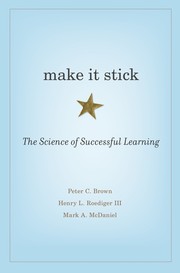 |
Make It Stick | the research on retrieval practice, spacing, and why rereading feels productive and teaches almost nothing. | View on Amazon |
As an Amazon Associate I earn from qualifying purchases. Links on this page are affiliate links, and I may earn a commission at no extra cost to you.
Read it before you buy anything on this page. The book explains why the workflow above works: handwritten derivations force retrieval, spaced cards force recall, and passive highlighting does neither. A cheaper tablet with a review habit beats a flagship with none.
Wrapping Up
For most people studying math and ML, an iPad Air with Apple Pencil Pro and GoodNotes delivers the smoothest experience. The Galaxy Tab S11 or S10 FE works well on Android with the pen included, reMarkable and BOOX suit focused handwriting, and a Surface Pro serves people who need real Windows software. Add a typed knowledge layer in Obsidian or Notion, and keep your code in Colab.
Before you spend money, try a free app on a device you own and take notes for a week. Notice what annoys you, then buy to fix those annoyances rather than someone else's.
Which feature matters most to you: pen feel, screen size, or app ecosystem? Answer that honestly and the choice makes itself.
Frequently Asked Questions
Is an iPad or an Android tablet better for math notes?
For app choice, the iPad wins: GoodNotes, Notability, Nebo, and Drawboard all ship there first, and handwriting latency is still the benchmark. Android wins on value, because Samsung includes the S Pen in the box while Apple charges extra for the Pencil. If you already use a Galaxy phone, Samsung Notes sync makes the Tab S11 or S10 FE the easier pick.
Do I need a dedicated e-ink tablet for studying math?
Only if distraction is your main problem. E-ink devices such as the reMarkable Paper Pro and Kindle Scribe feel like paper and remove notifications, but they are weak at PDF search, colour, and running code. A BOOX device is the compromise, because it runs Android apps. Most students are better served by an iPad or Galaxy Tab first.
Can I take math notes on a tablet without a stylus?
You can, but you will not enjoy it. Typing LaTeX is slower than writing for derivations, and finger writing is unusable for matrices and diagrams. Budget for the pen before you budget for storage, because the pen is what makes the tablet a notebook.
How do I keep handwritten math notes searchable?
Use an app with handwriting recognition, such as GoodNotes, Notability, or Samsung Notes, and add a typed layer. Put clean definitions, formulas, and code snippets in Obsidian or Notion with links between concepts, so the searchable vault becomes the index and the handwriting stays the working surface.
Is a Surface Pro worth it for machine learning study?
It is worth it if you want one device for handwriting and real desktop software: Jupyter, LaTeX, a full Python environment, and desktop OneNote. The costs are weight, price, and handwriting that most reviewers rate below the iPad. If you already own a laptop, a cheaper tablet plus that laptop covers the same ground.
Sources
[1]Apple, iPad Air — M4 models from $599, Apple Pencil Pro support: apple.com[2]Samsung, Galaxy Tab S11 series — S11 and S11 Ultra specs, S Pen included, 14.6-inch AMOLED: samsung.com[3]Microsoft, OneNote — free cross-platform notebooks with ink support: onenote.com[4]BOOX, Note Air5 C and Go 10.3 Gen II — colour e-ink specs and Android app support: shop.boox.com[5]Note-taking apps — GoodNotes for handwriting search and PDF annotation (goodnotes.com) and Obsidian for local Markdown notes with math support (obsidian.md)


 Get Free Course Notes →