 Buy me a coffee


Contents
Figure 1: Best Production Scheduling Software for Manufacturers — your schedule lives in a spreadsheet with seven tabs and one person who understands the color coding.
Your schedule lives in a spreadsheet with seven tabs and one person who understands the color coding. Then a machine goes down, a rush order lands, and a supplier ships late. Suddenly the "plan" is a suggestion. Production scheduling software exists to rebuild a feasible schedule fast, so your team spends less time firefighting.
I cannot claim I have implemented these tools on a real shop floor, so I will give you my honest analysis instead. I also searched for current information, and most "best of" lists come from vendors or review sites with their own angles. You should treat every ranking, including mine, as a starting shortlist and not a verdict. Ready to sort it out?
What Is Production Scheduling Software?
The label covers wildly different tools. One source notes that an all-in-one MRP for a 30-person shop and an enterprise APS engine for a multi-plant chemical maker both wear the same label. That confusion wastes a lot of buyer time. Guideflow
Here are the main categories:
- ERP and MRP systems: manage materials, orders, and inventory, with basic scheduling built in
- Advanced planning and scheduling (APS): builds feasible schedules by accounting for finite capacity, materials, labor, routing rules, changeovers, due dates, and other constraints Guideflow
- MES (manufacturing execution systems): track and control what actually happens on the floor
- Visual schedulers: drag-and-drop boards for planners who want hands-on control
Ever tried to fix a scheduling problem with an inventory tool? Same pain, different spreadsheet.
What Should You Look For?
Every vendor says "optimized scheduling." So what should you actually test?
Here is my checklist:
- Finite-capacity scheduling: the tool respects real machine, labor, and tool limits
- Constraint depth: changeovers, setup times, shifts, maintenance windows, and skill requirements
- Rescheduling speed: you can handle disruptions in minutes, not hours
- Scenario planning: you can test "what if" changes before committing
- ERP and MES integration: data flows in and out without manual re-entry
- Usability: planners can adjust the schedule without calling the vendor
- Material awareness: the schedule accounts for what is actually in stock or arriving
A schedule that ignores material availability is a wish list.
Best Software by Manufacturer Type
Small Manufacturers: MRPeasy and Odoo Manufacturing
Small shops often want one system, not three. One roundup recommends MRPeasy as a cloud-based all-in-one MRP covering production scheduling, inventory, and procurement for small and growing manufacturers. Another list names both MRPeasy and Odoo Manufacturing for smaller manufacturers that need a practical system with capacity planning support. Guideflow Guideflow
What I like:
- All-in-one setup instead of stitching tools together
- Lower cost and faster rollout than enterprise platforms
- Odoo's modular approach lets you start small
What to check: how well the scheduling handles complex constraints as you grow. All-in-one tools often schedule well enough, but they rarely match a dedicated APS engine.
Mid-Market and Complex Plants: PlanetTogether
PlanetTogether sits among the best-known dedicated APS options. A 2026 guide names it the best overall dedicated APS for manufacturers that need constraint-aware schedules, scenario planning, and ERP or MES connectivity. It suits mid-market and enterprise plants that outgrew spreadsheet or basic ERP planning. Guideflow
The tradeoff is implementation effort. A dedicated APS layer needs clean data and a planner who owns the system.
High-Complexity Scheduling: Asprova
Asprova targets dense, highly constrained production. The same guide picks it for detailed finite-capacity optimization across dense production constraints. If your plant juggles complex routings, sequence-dependent setups, and tight deadlines, put it on the shortlist. Guideflow
Siemens Environments: Opcenter APS
Opcenter APS, which the industry once knew as Preactor, fits plants already standardized on Siemens software. One summary calls it the pick for APS sophistication, with finite-capacity modeling tied to ERP and MES data. Its strength is integration within the Siemens ecosystem. Outside that ecosystem, check the integration effort carefully. Guideflow
ERP-Native Options: Epicor Kinetic, Dynamics 365, SAP, and Infor
Some manufacturers prefer scheduling inside their ERP. The guides I found suggest Epicor Kinetic or Microsoft Dynamics 365 Supply Chain Management for manufacturers standardizing around those platforms. Others point to SAP S/4HANA for SAP-standardized enterprises and Infor Production Scheduling for process manufacturers with constrained resources. Guideflow Guideflow
The upside is one data source and fewer integrations. The downside is that ERP-native scheduling sometimes lags dedicated APS engines on constraint modeling, so test it on your hardest weeks.
Shop-Floor and Visual Options: Proficy Scheduler and Visual Planning
Planners who want hands-on control may like visual tools. One source lists Visual Planning for drag-and-drop scheduling across web and mobile, and Proficy Scheduler for detailed real-time shop-floor scheduling with finite-capacity sequencing across sites. These fit teams that want planners in the driver's seat, not a black-box optimizer. Guideflow
Quick Comparison
Here is my fast take on who fits where:
- MRPeasy: best for small shops that want an all-in-one system
- Odoo Manufacturing: best for cost-conscious teams that want modular ERP
- PlanetTogether: best for mid-market and enterprise APS needs
- Asprova: best for highly complex, tightly constrained scheduling
- Opcenter APS: best for Siemens-based plants
- Epicor, Dynamics 365, SAP, Infor: best when you want scheduling inside your ERP
- Proficy and Visual Planning: best for shop-floor and visual scheduling
How to Choose the Right Software
Skip the feature matrix for a minute. Start with three honest questions.
How Complex Is Your Scheduling?
Simple routings and stable demand do not need a heavy APS. Complex setups, many changeovers, and tight constraints do. One guide suggests that if you answer yes to at least two diagnostic questions about your complexity, a dedicated APS layer will likely generate a measurable return. Treat that as a vendor-side heuristic, but the logic holds. Guideflow
What Does Your Stack Look Like?
The best tool plugs into your current ERP and MES. If you run Siemens, Epicor, or SAP, start with their native or partner options before shopping elsewhere. Integration costs often dwarf license costs.
Who Owns the Schedule?
A scheduler who loves tuning rules can run a powerful APS. A busy plant manager cannot. Match the tool's maintenance burden to your team's real capacity, not the capacity you wish you had.
How to Run a Fair Trial
Don't trust demos. Follow this protocol:
- Pick three real weeks: a calm one, a typical one, and a disaster
- Load identical data into each tool: orders, routings, setups, and calendars
- Compare on-time delivery, utilization, changeovers, and schedule stability
- Add a disruption, like a machine breakdown or a rush order, and time the reschedule
- Let planners edit the schedule and see whether the tool fights them
- Check the data effort, since bad master data wrecks any scheduler
Did you notice how few of those steps involve reading a feature list?
Common Mistakes to Avoid
- Trusting vendor rankings. Many top-10 lists come from vendors or affiliates. Verify with independent reviews, references, and trials.
- Skipping data cleanup. Wrong cycle times and routings produce confident nonsense.
- Buying APS before fixing basics. Poor inventory accuracy breaks any schedule.
- Ignoring planner buy-in. If schedulers distrust the output, they will revert to spreadsheets.
- Overbuying. Enterprise platforms burden small shops with complexity they do not need.
- Never measuring results. Track schedule adherence and on-time delivery before and after.
Best Book to Read
| Cover | Book | Description | Get it |
|---|---|---|---|
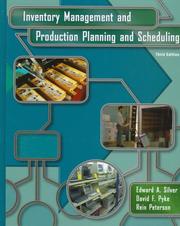 |
Production Scheduling and Planning | the practical reference on scheduling theory, APS architecture, and the gap between theory and shop-floor reality. | View on Amazon |
As an Amazon Associate I earn from qualifying purchases. Links on this page are affiliate links, and I may earn a commission at no extra cost to you.
Read it after you have run your trials. It makes the difference between "this tool gave a schedule" and "this engine actually solves my problem" impossible to confuse.
Final Thoughts
The best production scheduling software is the one your planners will use and your data can support. Small shops should look at all-in-one tools like MRPeasy or Odoo, complex mid-market plants at dedicated APS like PlanetTogether or Asprova, and ERP-standardized enterprises at their native scheduling modules first. Scale up only when simpler tools hit a wall.
So pick two or three candidates this week and run your ugliest real production week through each. If one produces a schedule your planners trust, you found a keeper. If none do, at least you learned that before signing a multi-year contract.
Frequently Asked Questions
What is the difference between MRP and APS?
MRP (Material Requirements Planning) calculates what materials you need and when, based on demand. APS (Advanced Planning and Scheduling) builds a feasible schedule by accounting for finite capacity, changeovers, labor, tooling, and other constraints. MRP assumes infinite capacity; APS does not.
Do I need a dedicated APS, or is my ERP's scheduling module enough?
If your routings are simple, changeovers are rare, and demand is stable, ERP-native scheduling often suffices. If you juggle complex routings, sequence-dependent setups, tight deadlines, or frequent disruptions, a dedicated APS engine usually pays for itself.
Which software is best for a small shop with 10–20 people?
MRPeasy and Odoo Manufacturing are the top all-in-one picks. MRPeasy is a cloud MRP with built-in scheduling; Odoo is modular and cost-effective. Both cover inventory, procurement, and scheduling in one system.
How much does production scheduling software cost?
Small-business all-in-one tools start around $50–$150/user/month. Dedicated APS platforms like PlanetTogether or Asprova typically start in the low five-figures annually and scale with complexity. ERP-native modules are often included or an add-on tier.
How should I test production scheduling software before buying?
Run a fair trial with three real weeks (calm, typical, disaster), load identical data into each tool, compare on-time delivery/utilization/changeovers/schedule stability, add a disruption and time the reschedule, let planners edit freely, and measure the data cleanup effort.
Sources
[1]Guideflow, Production Scheduling Software: 2026 Roundup — vendor categories and feature comparison: guideflow.com/blog/production-scheduling-software[2]Guideflow, Advanced Planning and Scheduling (APS) Software: 2026 Guide — APS deep dive and vendor shortlist: guideflow.com/blog/advanced-planning-and-scheduling-software[3]Guideflow, Production Scheduling Software (Estonian edition) — regional vendor coverage: guideflow.com/et-ee/blog/production-scheduling-software[4]K. N. McKay and V. C. S. Wiers, Production Scheduling and Planning — scheduling theory, APS architecture, and implementation practice: Amazon search
Related Articles
- Best Route Optimization Software for Delivery Fleets (2026)
- Vehicle Routing with Reinforcement Learning: Can a Neural Policy Beat Heuristics?
- OR-Tools vs Reinforcement Learning: When a Solver Actually Wins
- Call Center Staffing and Queue Control: SimPy Meets Reinforcement Learning
- Q-Routing Explained: Reinforcement Learning for Packet Routing in Networks


 Get Free Course Notes →